Microsoft SQL: SSIS Package Execution
Disclaimer
Your use of this download is governed by Stonebranch's Terms of Use.
Version Information
Template Name | Extension Name | Extension Version |
|---|---|---|
CS MSSQL - SSIS Package Execution | ue-cs-microsoft-sql-server-ssis | 1.1.0 |
Refer to Changelog for version history information.
Overview
SQL Server Integration Services (SSIS) is a platform for building data integrations and data transformation solutions.
This Universal Extension task interactively allows users to list and select the SSIS Folder, Project, Environment Reference, and SSIS Package while creating the job. Furthermore, it can trigger the SSIS package execution in the Microsoft SQL server, monitor the SSIS Package execution, and fetch SSIS logs to Universal Controller when the SSIS package execution has been completed.
Software Requirements
Software Requirements for Universal Agent
- Universal Agent for Linux or Windows Version 7.7.0.0 or later is required.
- Universal Agent needs to be installed with python option (--python yes).
Software Requirements Universal Controller
- Universal Controller 7.7.0.0. or later is required.
Software Requirements for the Application to be Scheduled
- Microsoft SQL Server Installed with Integration Services Catalog (SSISDB).
- Deploy PYMSSQL python package to the universal agent where SSIS Task would be executed.
- MS SQL Server Hostname or IP address and the Integration services credentials.
Key Features
- Dynamic Choice Fields to select the SSIS Folder/Project/Package/Environment Reference ID.
- Launch SSIS Package execution.
- Monitor SSIS Package execution.
- Fetch SSIS Package execution logs.
- SSIS Execution ID and Execution status are captured for every execution in the Task Instance.
- Connection to MS SQL Server is done via the Python PYMSSQL module.
- Supports Windows and Linux Universal Agents in order to connect to the MSSQL server.
Import the Universal Template
To use the Universal Template, you first must perform the following steps.
- This Universal Task requires the Resolvable Credentials feature. Check that the Resolvable Credentials Permitted system property has been set to true.
- To import the Universal Template into your Controller, follow these instructions.
- When the files have been imported successfully, refresh the Universal Templates list; the Universal Template will appear on the list.
Configure Universal Tasks
For this Universal Extension Task type, create a new task and enter the task-specific Details that were created in the Universal Template.
Field Descriptions for SSIS Package Execution Universal Extension Task
| Field | Description |
|---|---|
| MSSQL Server Name | Hostname or IP address of the Microsoft SQL Server instance hosting the SSIS catalog. |
| MSSQL DB Credentials | Credentials used to connect to Microsoft SQL Server and access the SSIS catalog. The associated database account must have sufficient permissions to access SSISDB and execute the required database operations, including creating temporary stored procedures where applicable. |
| MSSQL Database Name | Database containing the SSIS catalog. Select a database from the dynamically populated list. The default value is SSISDB. |
| SSIS Folder Name | Folder within the selected SSIS catalog that contains the project to execute. Available folders are dynamically retrieved from the database. |
| SSIS Project Name | SSIS project containing the package to execute. Available projects are dynamically retrieved based on the selected SSIS folder. |
| SSIS Package Name | SSIS package to execute. Available packages are dynamically retrieved based on the selected SSIS project. |
| Environment Reference ID | Optional environment reference associated with the selected SSIS project. Select an available reference to execute the package using the corresponding environment configuration and variable values. |
| Run in Scale Out Mode | When enabled, executes the SSIS package using SSIS Scale Out instead of the standard execution mode. Requires SSIS Scale Out to be configured on the target SQL Server environment. |
| Fetch SSIS Package Logs | When enabled, retrieves the SSIS package execution logs and makes them available in the Universal Controller task instance output (STDOUT). |
| Use 32-bit Runtime | When enabled, requests execution of the SSIS package using the 32-bit runtime instead of the default 64-bit runtime. Useful for packages that depend on 32-bit drivers or components. Requires the corresponding runtime to be available. |
| Package Parameters | Defines parameter name and value pairs passed to the selected SSIS package during execution. Use these parameters to override package-level parameter values. Parameter values must be compatible with their defined SSIS data types. |
| Project Parameters | Defines parameter name and value pairs passed to the SSIS project during execution. These values override the corresponding project-level parameter defaults for the execution. |
| Other Parameters | Defines additional execution parameter names and values to be supplied when executing the SSIS package. The supported parameter names and formats depend on the extension's execution implementation. |
| Runtime Directory | Specifies the working directory used by the task during execution. If applicable, relative paths used by local task operations are resolved against this directory. |
| SSIS Execution ID | Output-only field available in task instances. Displays the unique execution identifier assigned by the SSIS catalog, which can be used to identify and troubleshoot the corresponding package execution. |
| SSIS Execution Status | Output-only field available in task instances. Displays the execution status reported by Microsoft SQL Server for the SSIS package, allowing users to monitor the execution result. |
Examples of SSIS Package Execution Universal Extension Tasks
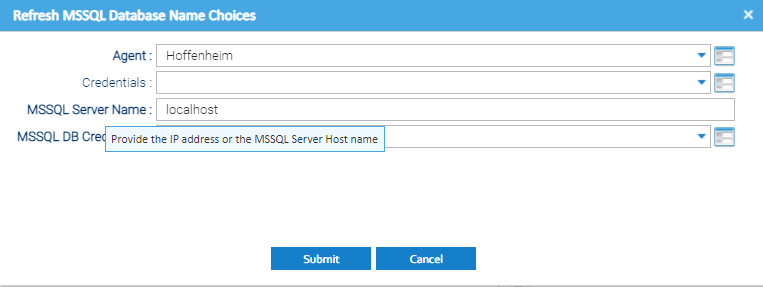
SSIS Universal Task - Select DB Name
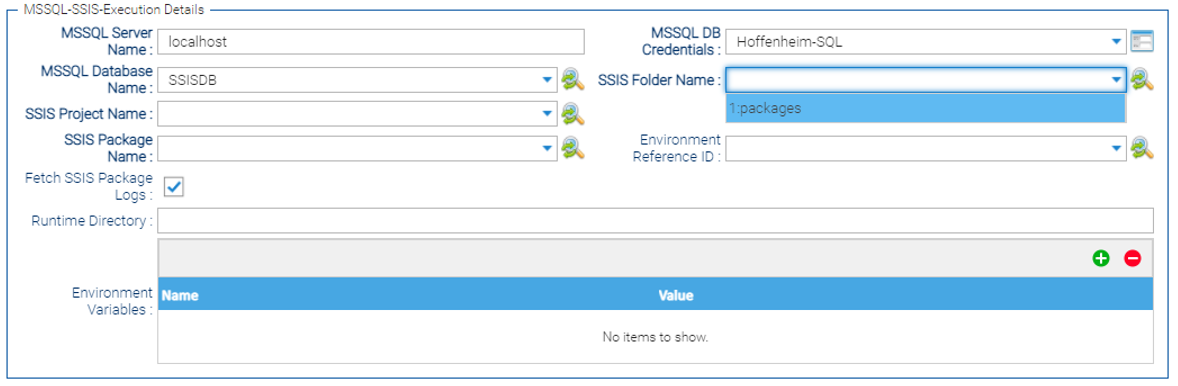
Select SSIS Folder Name
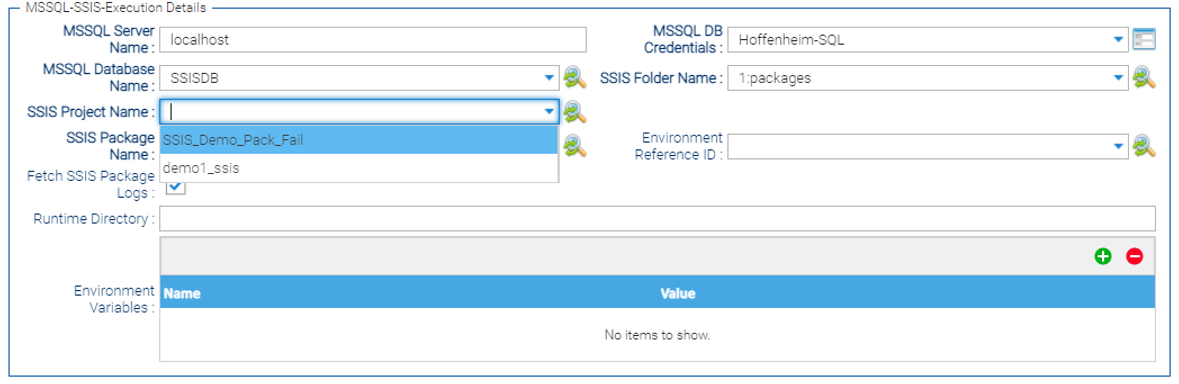
Select SSIS Project Name
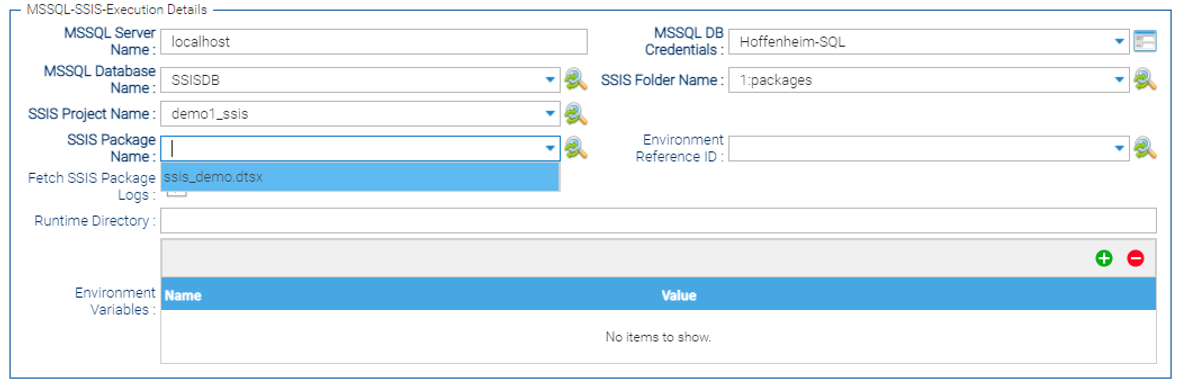
Select SSIS Package
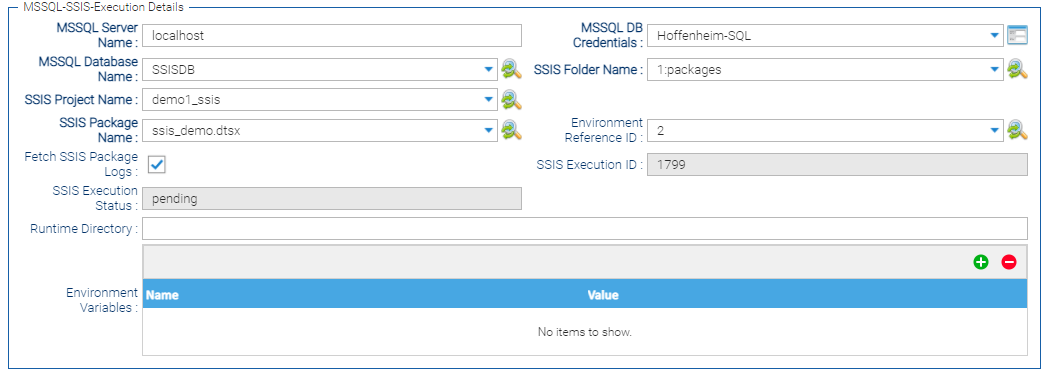
SSIS Execution - Task Instance
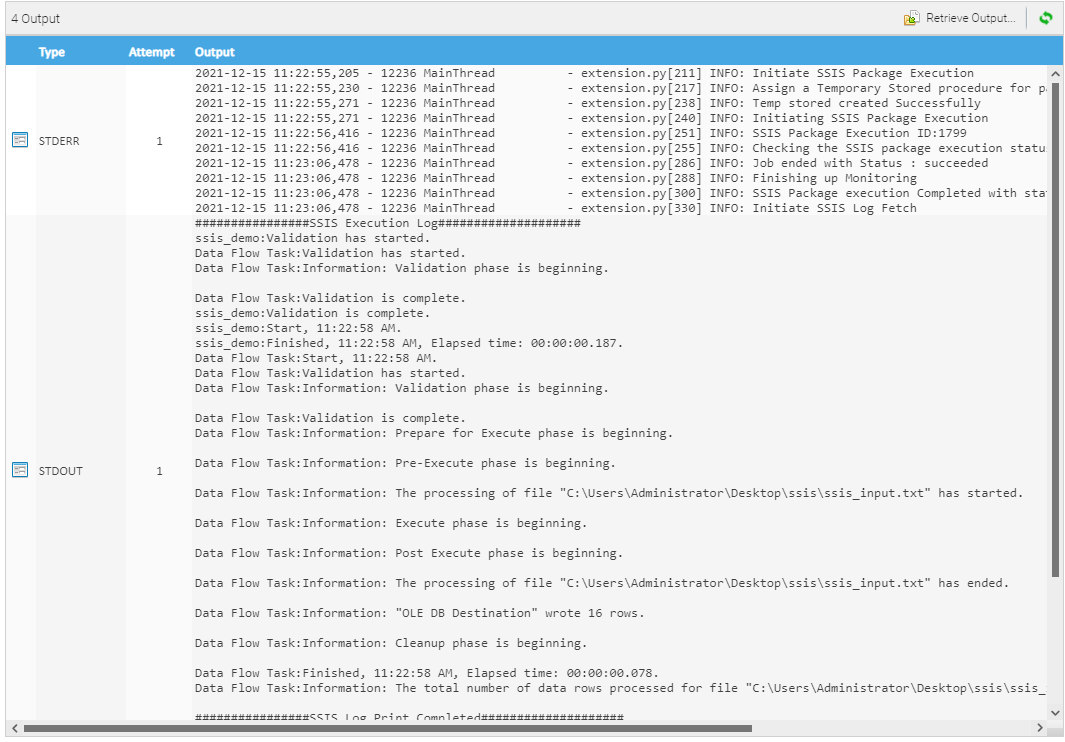
SSIS Execution Logs STDERR / STDOUT
Document References
This document references the following documents:
Name | Description |
|---|---|
Documentation about the PYMSSQL Module used in this Universal Task. |
Changelog
ue-microsoft-sql-server-ssis-1.1.0 (2026-10-27)
Enhancements
Added: introducing new array fields for package (package_parameters), project (project_parameters), and server execution (other_parameters) parameters, with dynamic SQL generation to apply runtime values during execution.- Rebundled the pymssql dependencies within the extension package to simplify deployment.
ue-microsoft-sql-server-ssis-1.0.4 (2023-05-17)
Bug fix
Fixed:Environment Reference ID is optional and when there is no value, the extension fails.
ue-microsoft-sql-server-ssis-1.0.3 (2023-04-24)
Bug fix
Fixed:Task Doesn't fail when SSIS project name contains spaces