SAP: Cloud Data Service (CPI DS)
Disclaimer
Your use of this download is governed by Stonebranch's Terms of Use.
Version Information
Template Name | Version |
|---|---|
CS SAP Cloud Data Service (CPI DS) | 1.0.0 |
Refer to Changelog for version history information.
Overview
SAP Cloud Integration for data services is an ETL (Extract, Transform & Load) solution that extracts data from various on-Premises systems and then transforms the data using transformations and functions optimized for cloud applications. This Universal Task allows Stonebranch users to schedule, trigger, monitor, and orchestrate the SAP CPI DS (Cloud Data Services) Tasks directly from Universal Controller via webservices. It also helps to set up dependencies between SAP CPI DS jobs and other applications or platforms using UAC workflows and trigger SAP CPI DS Jobs from UAC either time-based or event based.
Software Requirements
This integration requires a Universal Agent and a Python runtime to execute the Universal Task.
Software Requirements for Universal Template and Universal Task
Requires Python 3.7.6 or higher. Tested with the Universal Agent bundled Python distribution.
Software Requirements for Universal Agent
Both Windows and Linux agents are supported.
- Universal Agent for Windows x64 Version 7.1.0.0 and later with python options installed.
- Universal Agent for Linux Version 7.1.0.0 and later with python options installed.
Software Requirements for Universal Controller
Universal Controller Version 7.1.0.0 and later.
Network and Connectivity Requirements
Key Features
This Universal Extension provides the following key features:
- Actions
- Trigger and Monitor an SAP CPI DS Task execution.
- Cancel an executing Task using the Run ID
- Get a Task status using Run ID
- Fetch Task execution logs including
- Trace log
- Monitor log.
- Error log
- Get All Agent list.
- Possibility to filter only Active only Agent.
- Get task Execution list by start Date and time.
- Authentication
- Authentication through SAP CPI DS Credentials
- Input/Output
- SAP Supports only SOAP based request and response format for SAP CPI DS
- All the Requests and response will in XML format
- Other
- Communication from the universal agent host via HTTPS
Import Universal Template
To use the Universal Template, you first must perform the following steps.
- This Universal Task requires the Resolvable Credentials feature. Check that the Resolvable Credentials Permitted system property has been set to true.
- To import the Universal Template into your Controller, follow these instructions.
- When the files have been imported successfully, refresh the Universal Templates list; the Universal Template will appear on the list.
Modifications of this integration, applied by users or customers, before or after import, might affect the supportability of this integration. For more information refer to Integration Modifications.
Configure Universal Task
For a new Universal Task, create a new task, and enter the required input fields.
Input Fields
The input fields for this Universal Extension are described below.
Field | Input type | Default value | Type | Description |
|---|---|---|---|---|
SAP Cloud Data Services URL | Required | - | Text | Provide the SAP Cloud data service URL for webservices, Example: https://hcidsxxx.us2.hana.ondemand.com/DSoD/webservices |
SAP Cloud Integration for data services org | Required | - | Text | The name of the SAP Cloud Integration for data services organization. |
isProduction | Required | true | Boolean | Specifies whether to log in to the production or sandbox repository. |
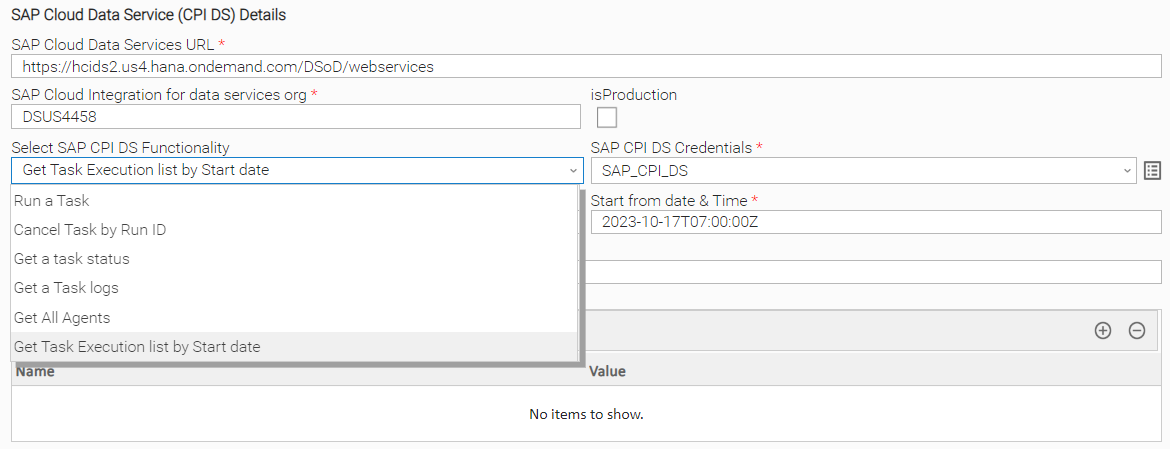
Select SAP CPI DS Functionality | Required | Run a Task | Choice | Select an SAP CPI DS functionality.
|
SAP CPI DS Credentials | Required | - | Credential | Provide the SAP CPI DS Credentials
|
Task Name | Required if Visible | - | Text | Name of the CPI DS Task. Visible when selected functionality:
|
Task Run ID | Required if Visible | - | Text | Specify the task run ID. Visible when selected functionality:
|
Description of the task | Required if Visible | - | Text | Description of the task. Visible when selected functionality:
|
Agent Name | Required if Visible | - | Text | Provide the CPI DS agent name. Visible when selected functionality:
|
Agent Group | Optional | - | Text | The name of the agent group (collection of SAP Data Services Agents that should be used to execute the task. Visible when selected functionality:
|
Profile Name | Optional | - | Text | The system configuration that should be used when the task is executed. Visible when selected functionality:
|
Global Variables | Optional | false | Boolean | A list of the global variables to pass to the task, defined as a sequence of xs:string elements. Visible when selected functionality:
|
Provide Global Variables | Required if Visible | - | Text | Provide Global Variables , Incase of Multiple separate by commas. |
Fetch Task Log | Optional | true | Boolean | Enable to fetch the job execution logs by run id. Visible when selected functionality:
|
Base64 Encode | Optional | false | Boolean | Specification for Base64. |
Trace Log | Optional | true | Boolean | Enable if trace log to be extracted |
Trace Page Number | Required if Visible | 1 | Integer | Trace log Page number |
Monitor Log | Optional | true | Boolean | Check if Monitor log to be fetched |
Monitor Log Page Numvber | Optional | 1 | Integer | Specify the Monitor log page number default is 1 |
Error log | Optional | true | Boolean | Fetch error Log |
Error Log Page Num | Required if Visible | 1 | Integer | Specify the page number for error log |
Active Only Agent | Optional | true | Boolean | Check if it need to fetch only the active list of agents. Visible when selected functionality:
|
Start from date & Time | Required if Visible | - | Text | Specify the date & time from when to check the CPI DS job status - 2022-06-28T16:40:00Z |
Task Examples
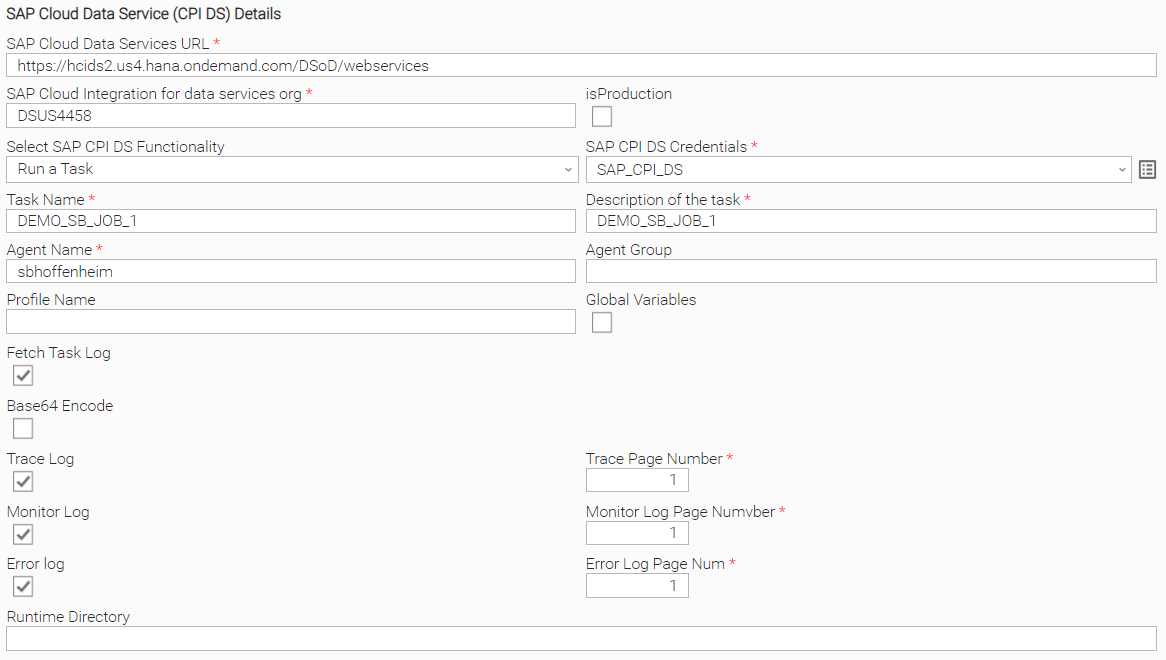
SAP CPI-DS Job Definition: Run a Task
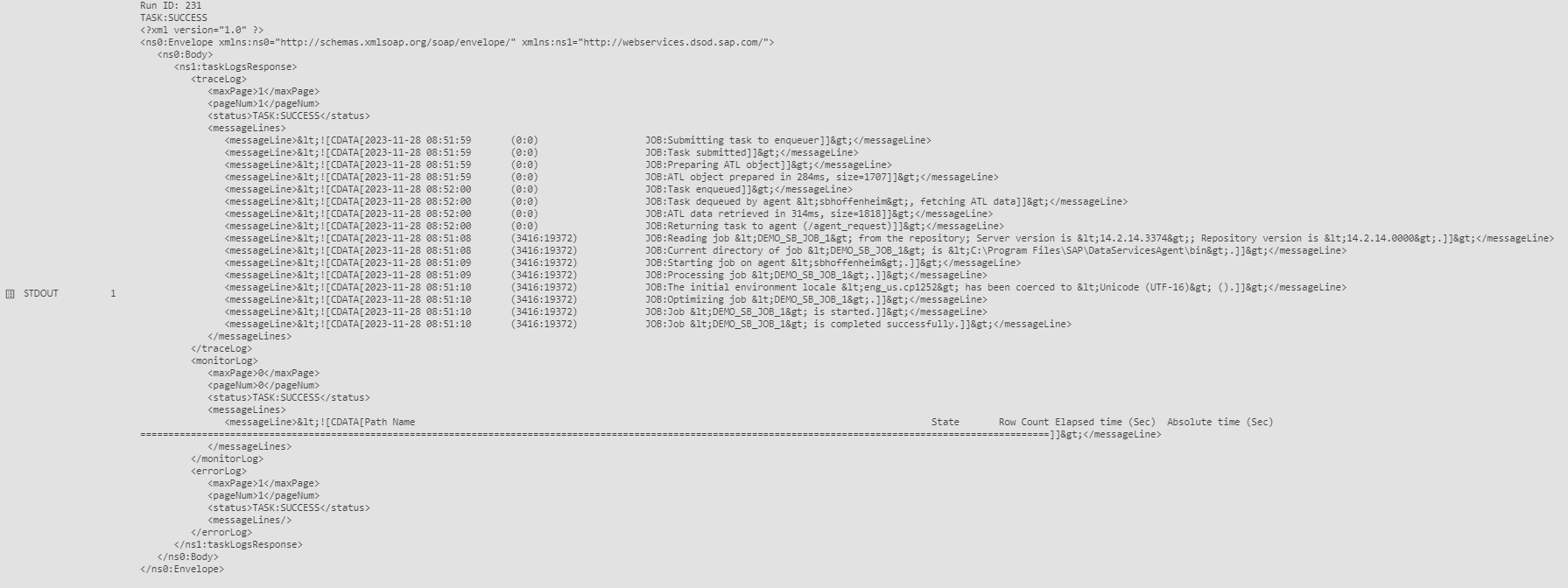
Example STDOUT, Run a Task Option
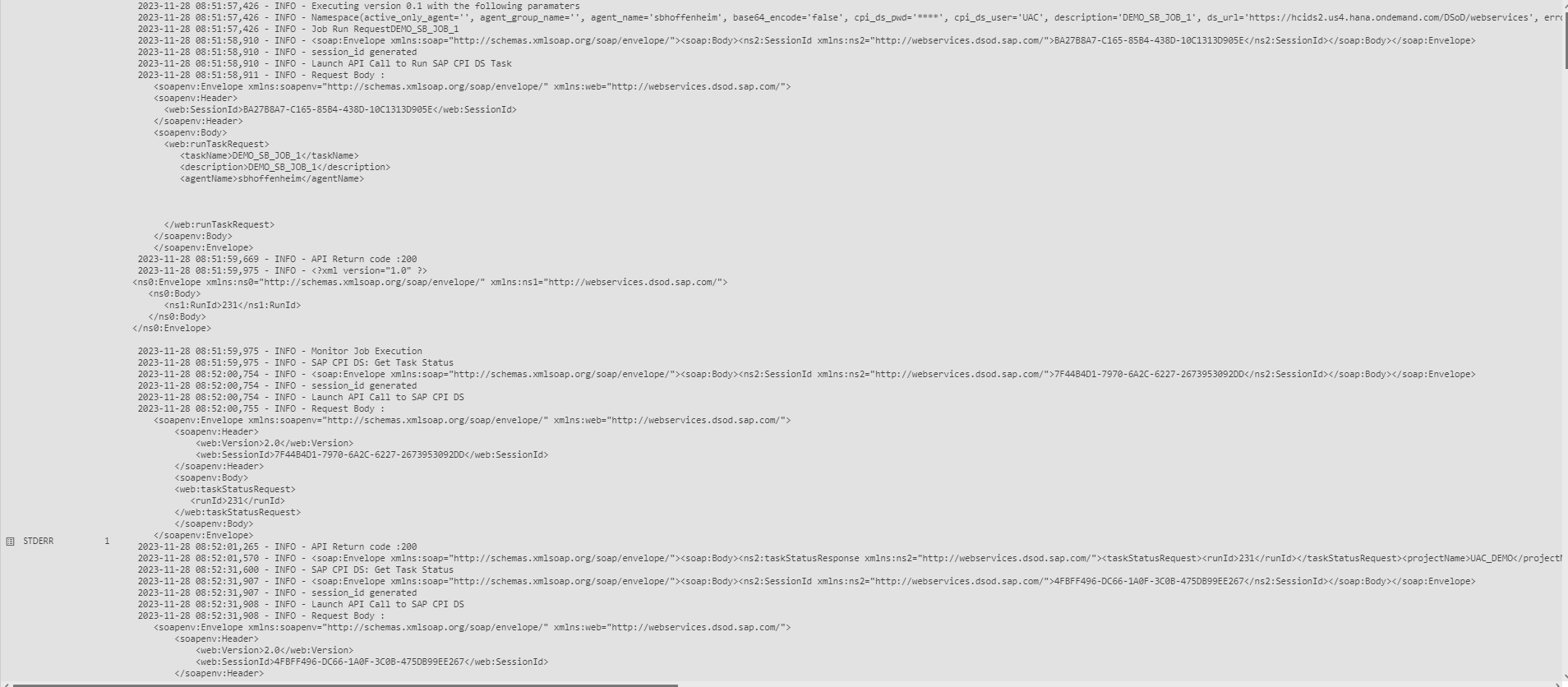
Example STDERR - Run a Task
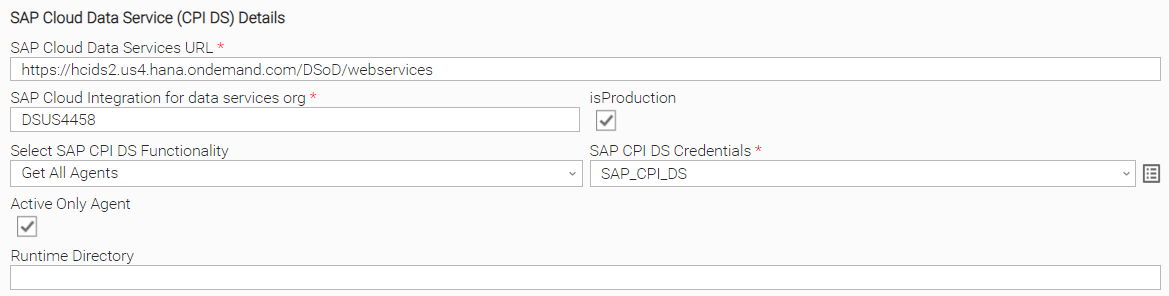
Fetch SAP CPI-DS Agent
Get Task Execution Status by Start Date
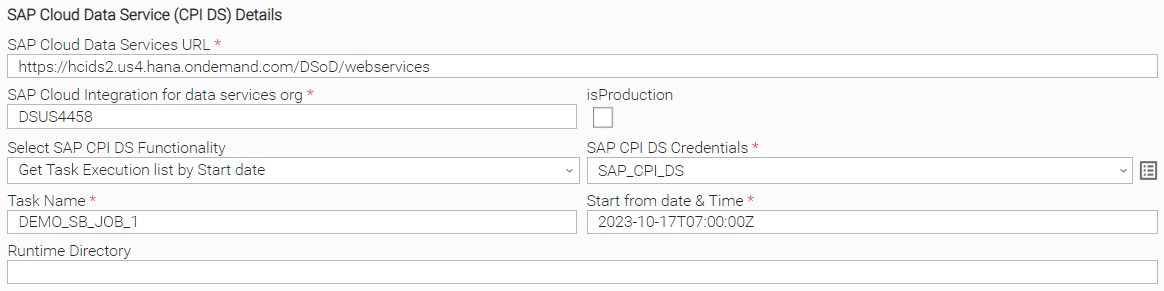
Other SAP CPI-DS Functionality Options
Task Output
Exit Codes
The exit codes for this Universal Template are described below.
Exit Code | Status Classification Code | Status Classification Description | Status Description |
|---|---|---|---|
0 | SUCCESS | Successful Execution | SUCCESS: Successful Task execution |
1 | FAILED | Failed Execution | Failed: SAP CPI DS job execution Failed. |
STDOUT and STDERR
STDOUT and STDERR provide additional information to User. The populated content can be changed in future versions of this extension without notice. Backward compatibility is not guaranteed.
Document References
This document references the following documents.
Document Link | Description |
|---|---|
User documentation for creating, working with and understanding Universal Templates and Integrations. | |
User documentation for creating Universal Tasks in the Universal Controller user interface. | |
User documentation for creating and working with credentials. | |
User documentation for Resolvable Credentials Permitted Property. |
Integration Modifications
Modifications applied by users or customers, before or after import, might affect the supportability of this integration. The following modifications are discouraged to retain the support level as applied for this integration.
- Python code modifications should not be done.
- Template Modifications
- General Section
- "Name", "Extension", "Variable Prefix", "Icon" should not be changed.
- Universal Template Details Section
- "Template Type", "Agent Type", "Send Extension Variables", "Always Cancel on Force Finish" should not be changed.
- Result Processing Defaults Section
- Success and Failure Exit codes should not be changed.
- Success and Failure Output processing should not be changed.
- Fields Restriction Section
The setup of the template does not impose any restrictions, However with respect to "Exit Code Processing Fields" section.- Success/Failure exit codes need to be respected.
- In principle, as STDERR and STDOUT outputs can change in follow-up releases of this integration, they should not be considered as a reliable source for determining success or failure of a task.
- General Section
Users and customers are encouraged to report defects, or feature requests at Stonebranch Support Desk.
Changelog
ut-cs-sap-cpi-ds-1.0.0 (2024-08-08)
Initial Version