UAC Service Now Self-Service Administration Guide
Disclaimer
Your use of this download is governed by Stonebranch's Terms of Use.
Version Information
Solution Name | ServiceNow - Application Name | Version | Status |
|---|---|---|---|
ServiceNow Universal Automation Center Self-Service - Admin Guide | Universal Automation Center Self-Service | 1 (Current 1.0.0) | Initial Version |
Refer to Changelog for version history information.
Overview
The Universal Automation Center Self-Service App allows users to easily configure, schedule, and manage tasks and workflows within the Stonebranch Universal Automation Center.
This Administration Guide provides instructions for configuring the Self-Service App within ServiceNow, enabling ServiceNow users to perform self-service actions directly in the Universal Automation Center.
Requirements
Universal Controller version 7.6.0.0 or higher is required to use this solution.
Configuration
Configure Connection & Credential
Set up Connection and Credential record for Universal Automation Center Self-Service.
Role Required: admin
Configuration steps
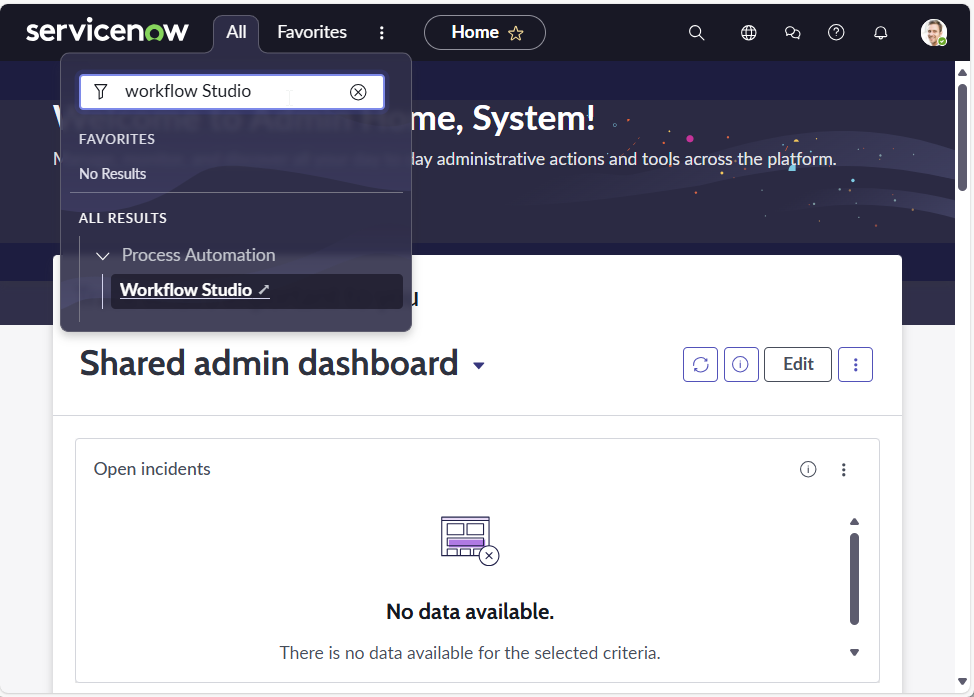
Step 1: Navigate to "Workflow Studio".
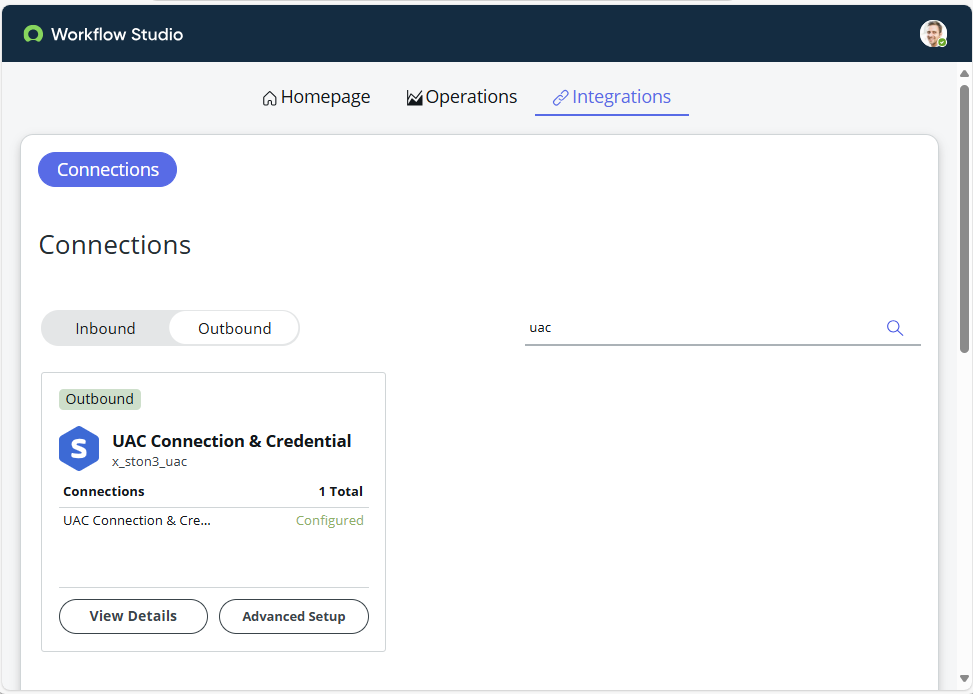
Step 2: Go to the "Integrations" section and find the Connection alias "UAC Connection & Credential" using the search bar.
Step 3: Click "View Details".
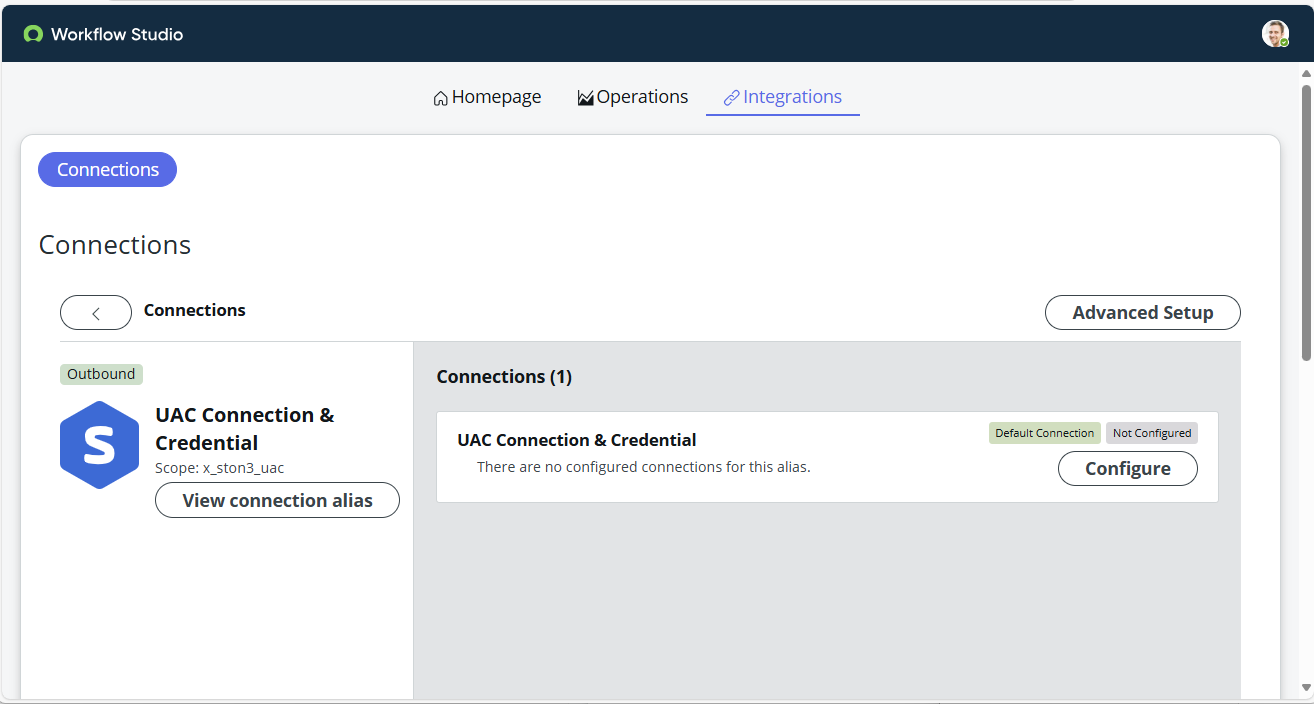
Step 4: Click "Configure". The system will redirect to you to the alias record "UAC Connection & Credential".
Navigate to Related list > Connections > New.
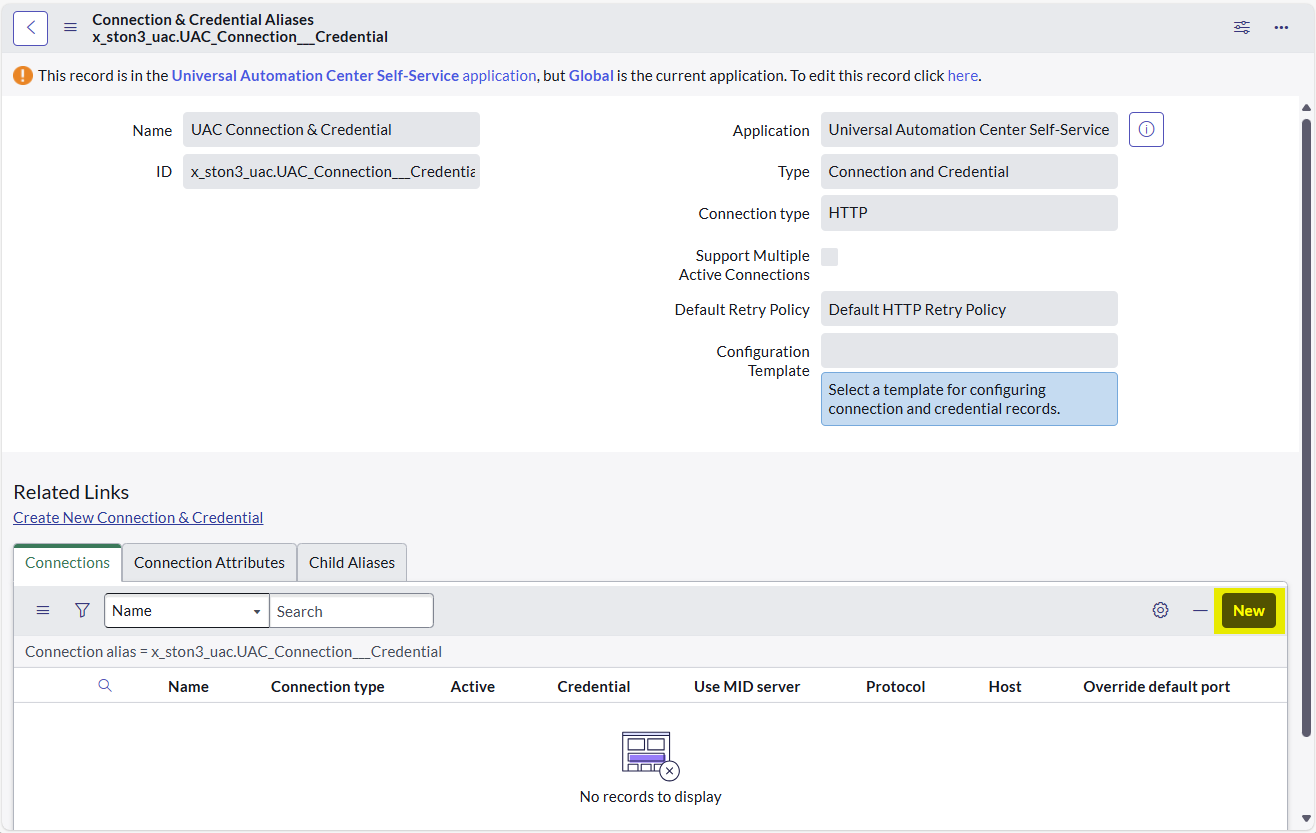
Step 5: Provide a name for the UAC Connection and add the "Connection URL" > Click "Submit"
Sample Connection URL: https://abc.stonebranchdev.cloud (Do not add a trailing slash "/" to the URL)
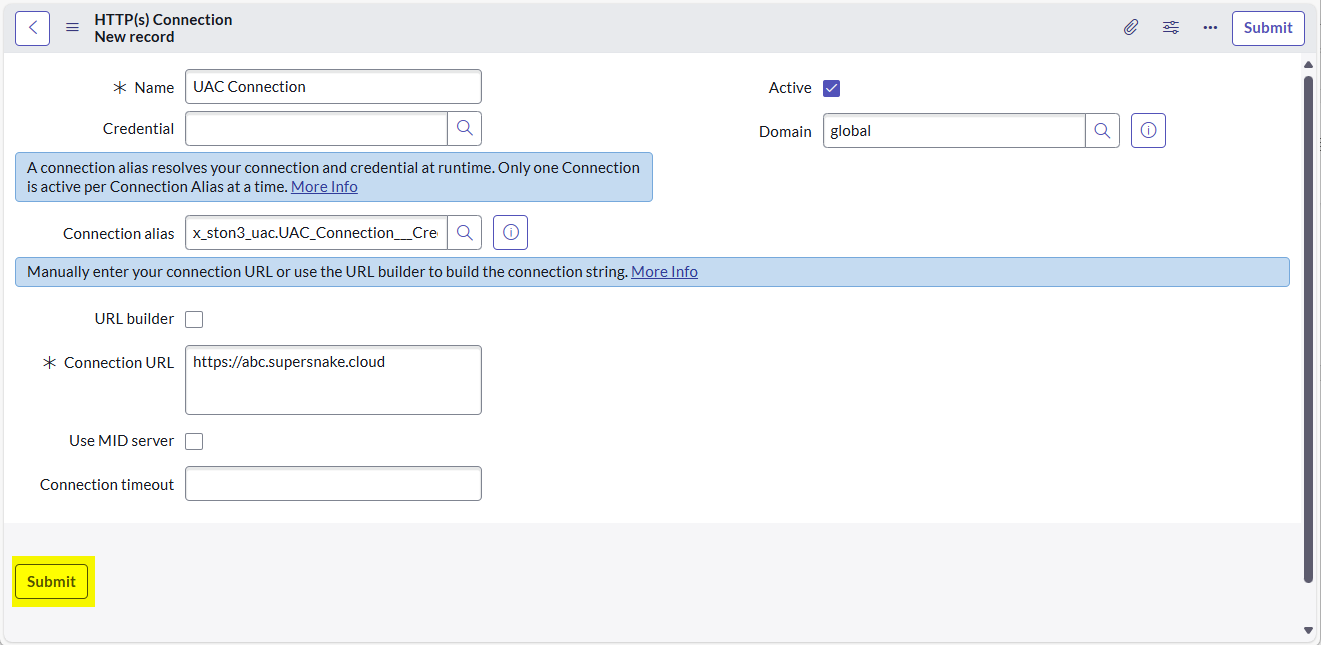
Step 6: Click the "Lookup using list" option available for the "Credential" field.

Step 7: The system will show a popup, Click "New".

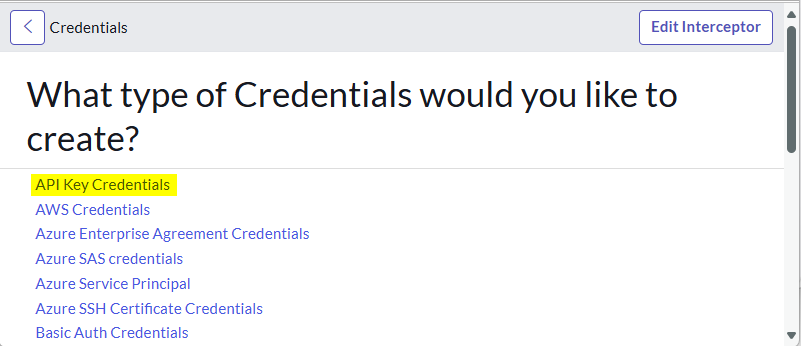
Step 8: Select "API Key Credentials".
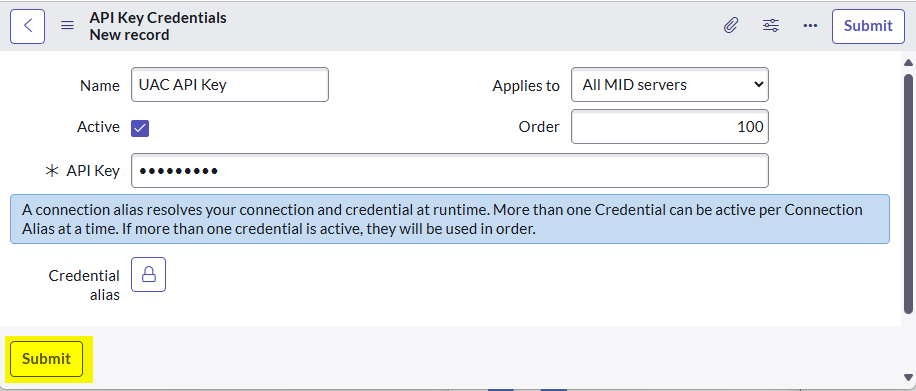
Step 9: Provide a name and add the API Key, click "Submit".
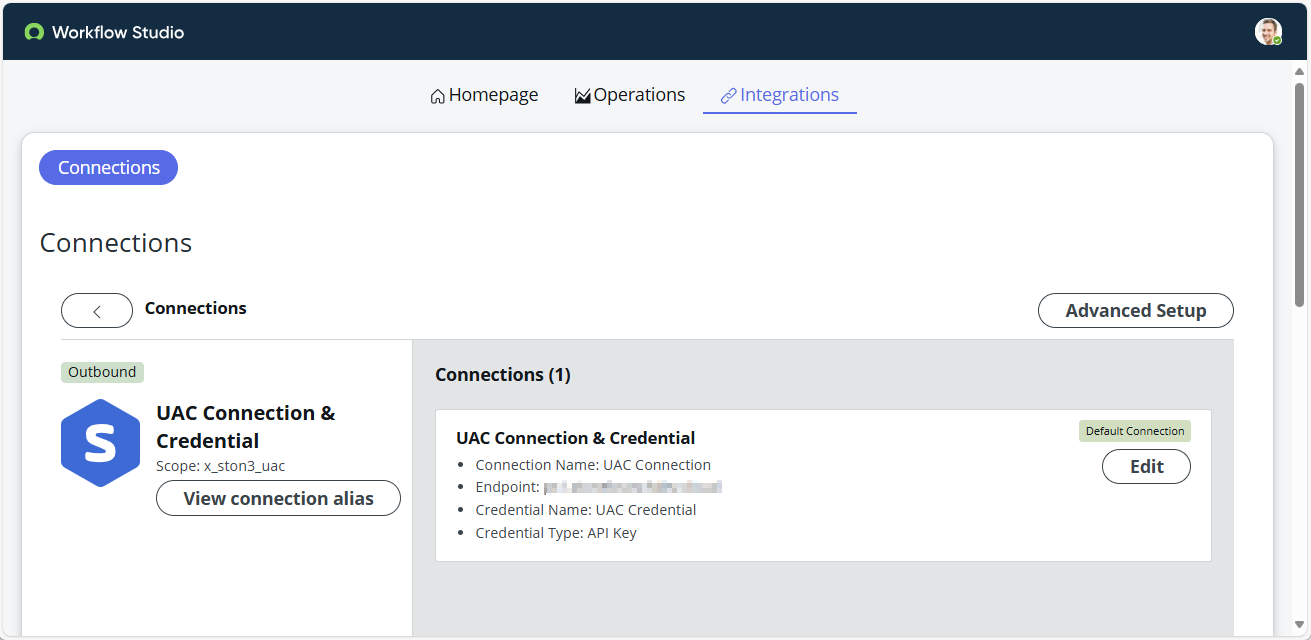
Step 10: Navigate back to the Connection record created earlier and verify the newly created Credential added successfully.
Result / Outcome:
Configure System Properties
Properties to control Universal Automation Center Self-Service
Role Required: admin
- Navigate to the application menu Universal Automation Center Self-Service > Administration > Decision Table - Variable Values
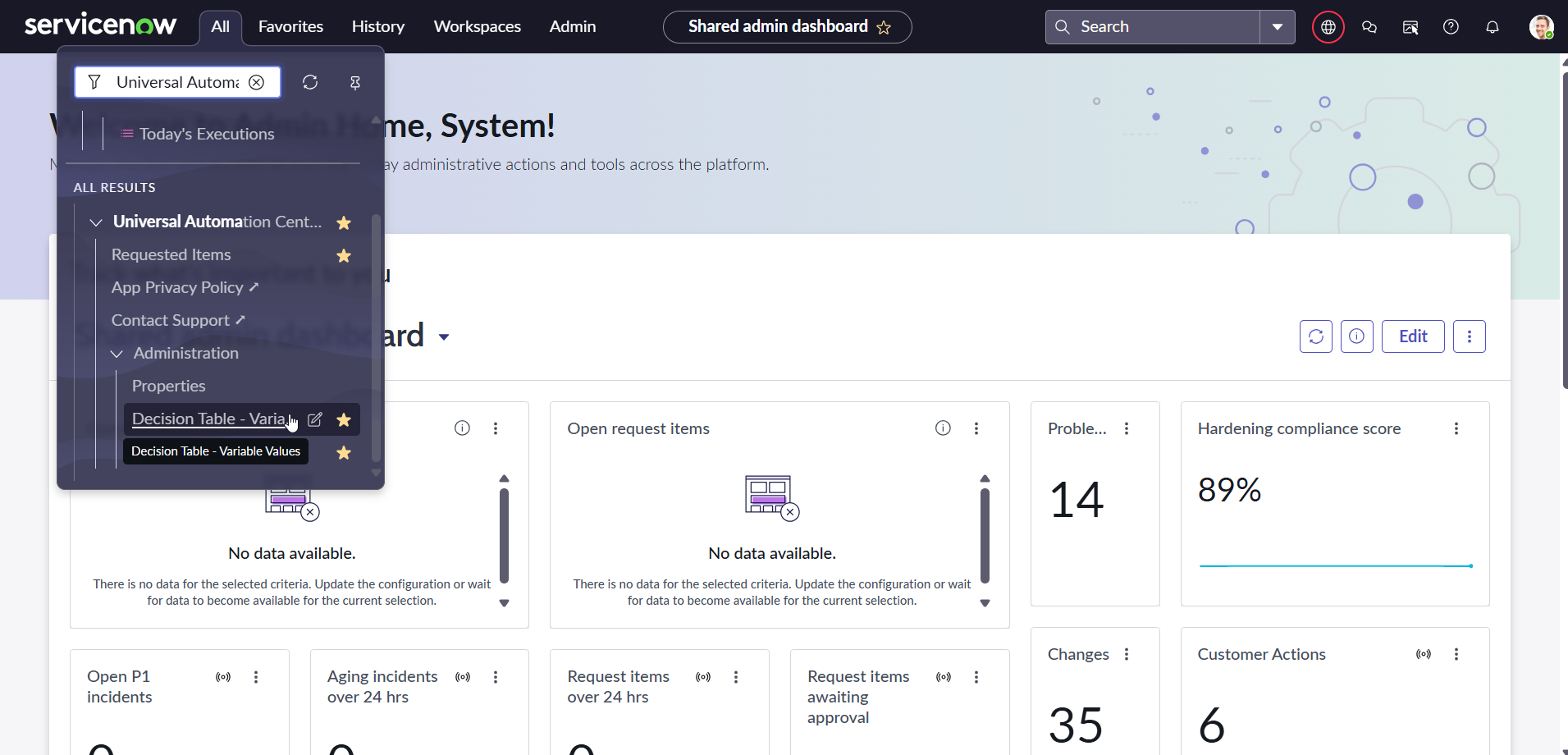
- A decision table will appear displaying a list of properties where key information can be added.
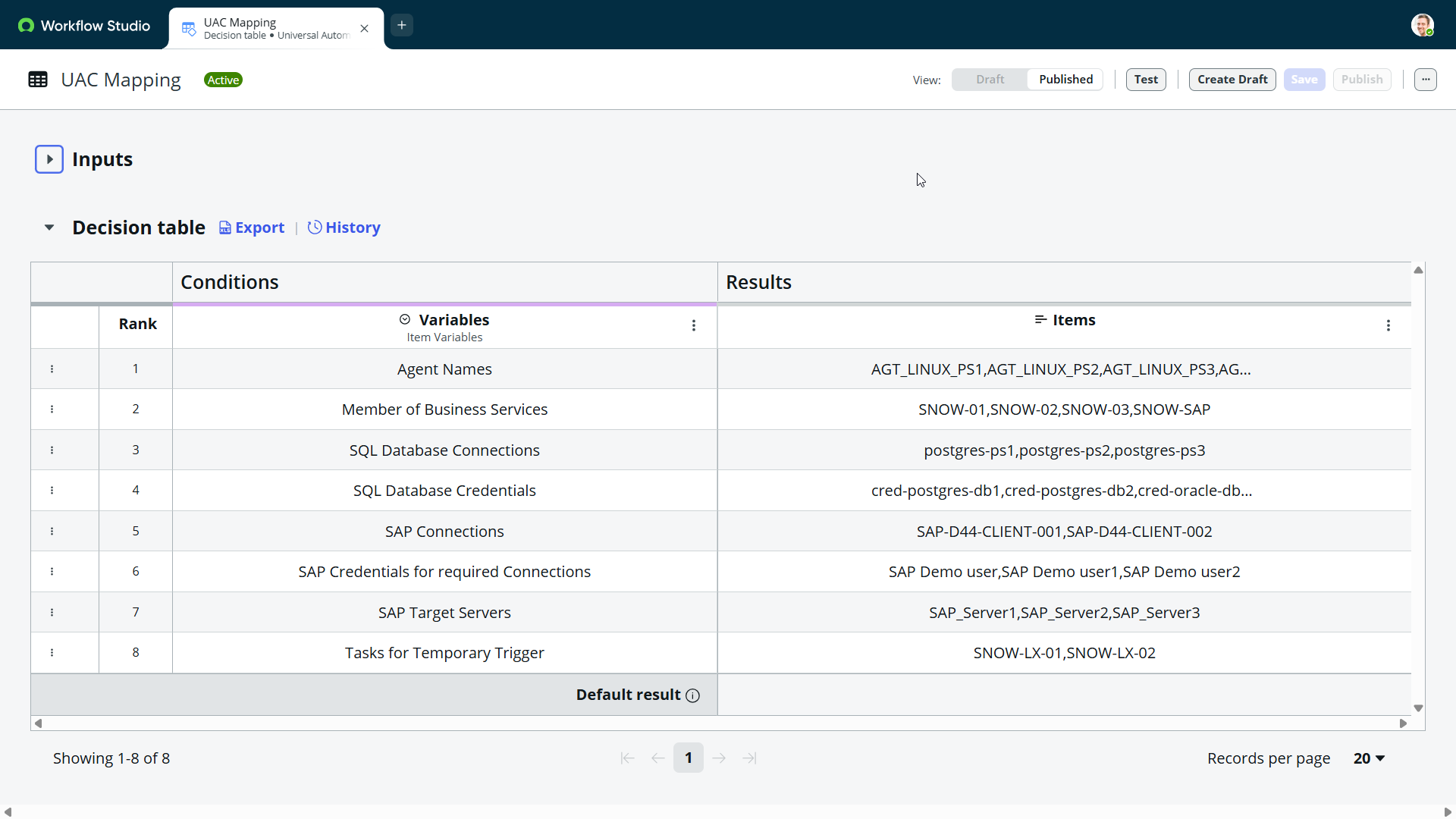
- Add / Modify the properties values of the decision table
# | Property Description | Sample Values |
1 | Agent Names (add as comma-separated values) | AGT_LINUX_01, AGT_LINUX_02, AGT_WIN_01 |
2 | Member of Business Services (add as comma-separated values) | Finance Team,Database Team,SAP DWH Team |
3 | SQL Database Connections (add as comma-separated values) | postgres-db1,postgres-db2,oracle-db1, sqlserver-db1,mysql-db1 |
4 | SAP Connections (add as comma-separated values) | SAP-D44-CLIENT-001,SAP-D44-CLIENT-002 |
5 | SAP Credentials for required Connections (add as comma-separated values) | SAP Demo user1,SAP Demo user2 |
6 | SAP Target Servers (add as comma-separated values) | SAP_Server1,SAP_Server2,SAP_Server3 |
7 | List of tasks to be considered for temporary trigger (add as comma-separated values) | Task-LX-01,Task-LX02,Task-Win-01 |
8 | Tasks for temporary Trigger | SNOW-LX-01, SNOW-LX-02 |
- Click Publish to commit your changes
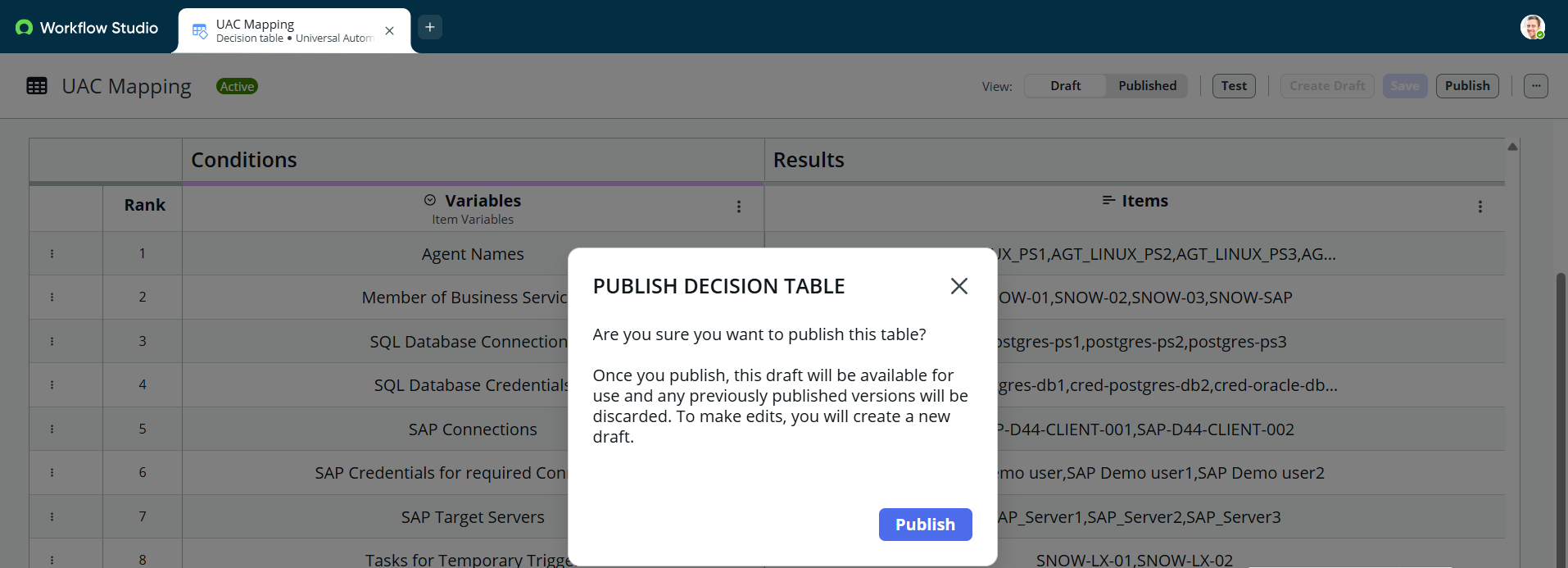
Note: These properties are mandatory and critical for the submission of the catalog item "Universal Automation Center Self-Service," as some of the required variables are dynamically generated based on them.
Monitoring
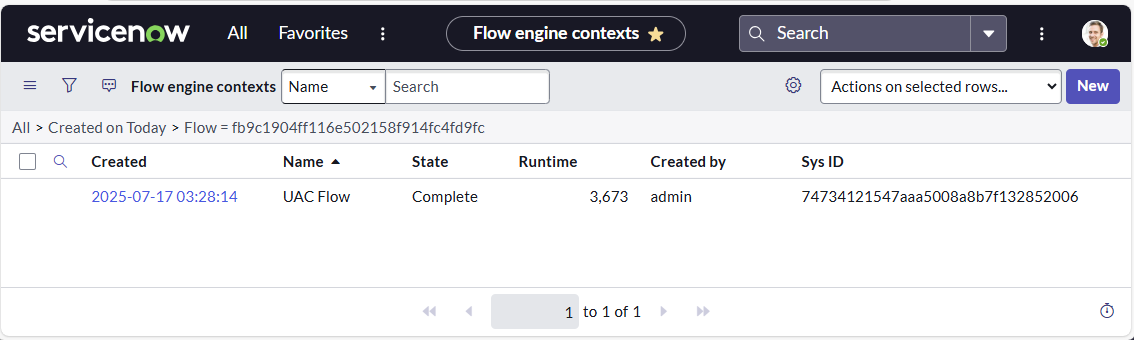
You can monitor in Service Portal your requests under "Requested Items" and Today's Executions under "Today's Executions".
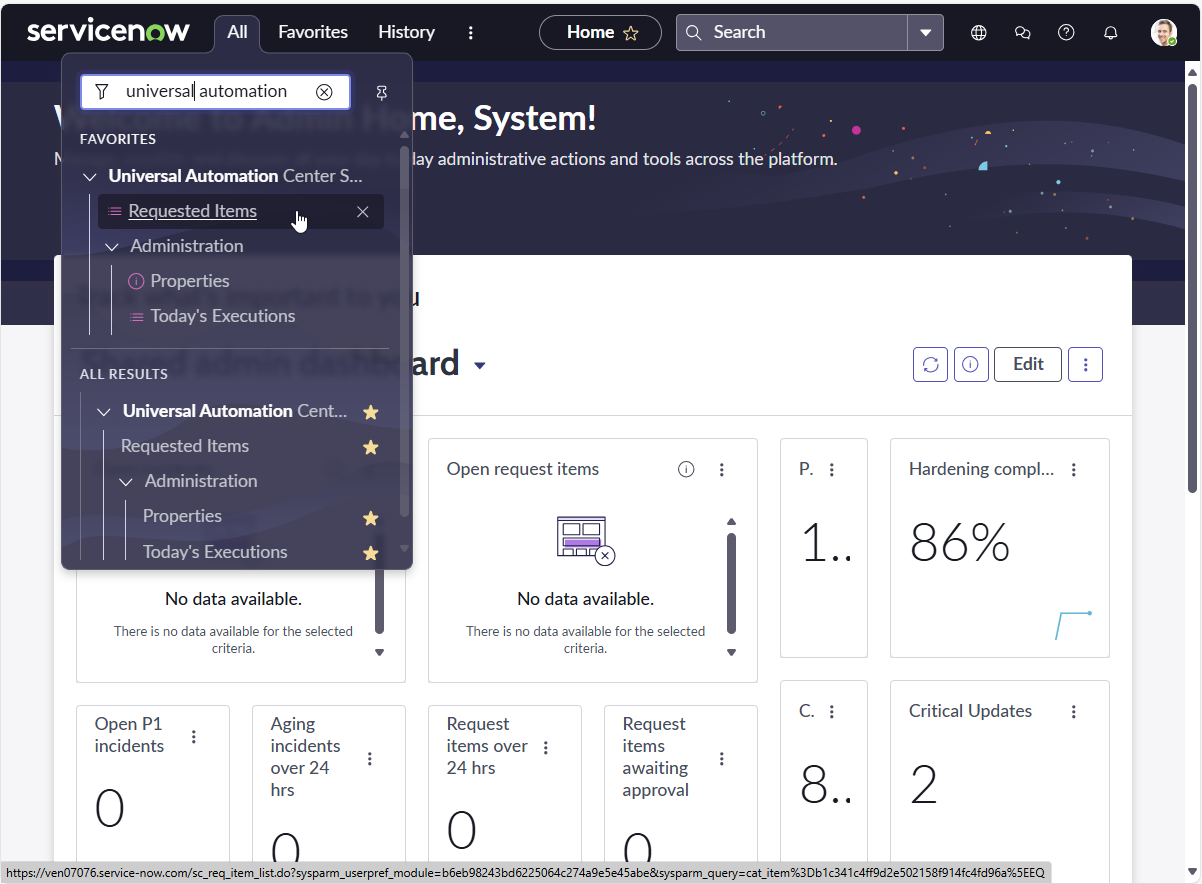
Requested Items
The following provides a list to track the Stage of each Requested Item.
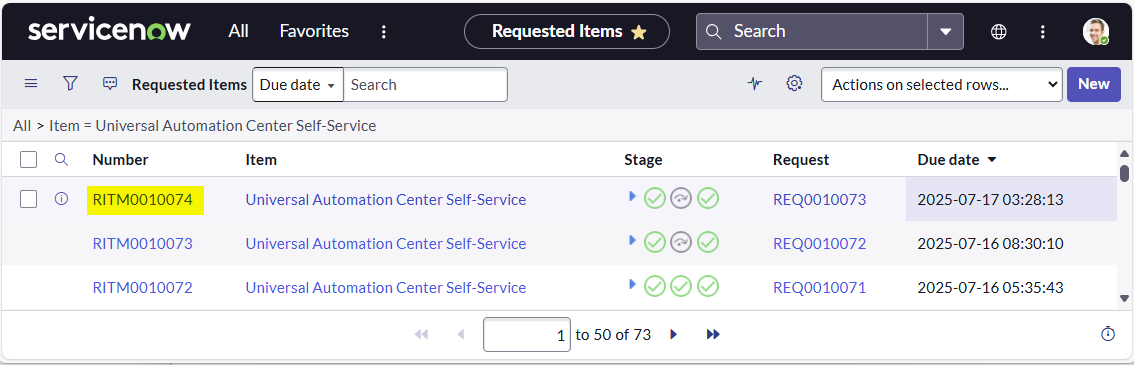
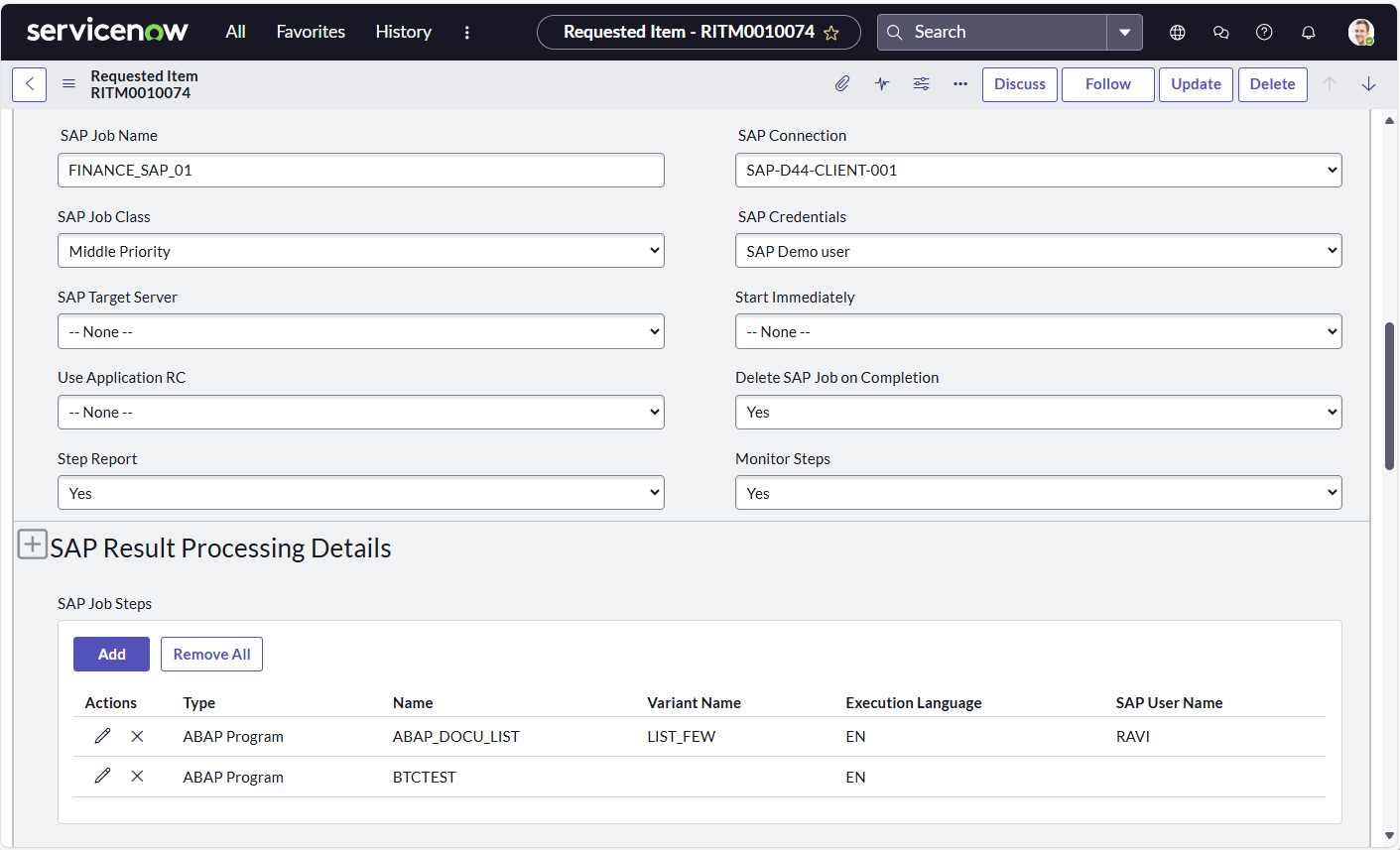
The details of each request are show when clicking on the Request Number.
Today's Executions
The following screen provides information on the "State" status of Today's Executions.
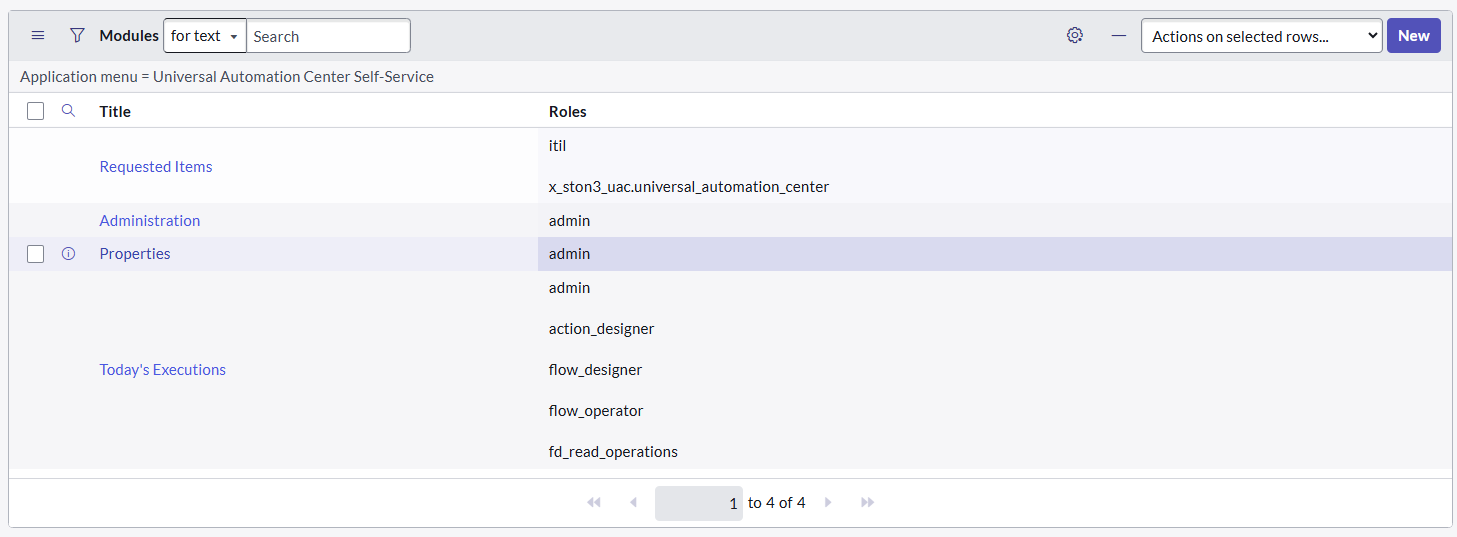
Required Roles
To execute the Application, the user in Service Now needs the Role:
- x_ston3_uac.universal_automation_center
The following Roles are required to change the Properties, view Requested Items and Today's Executions.
Changelog
ServiceNow - Universal Automation Center Self-Service - Admin Guide (2025-07-18)
- Initial Version