Adding & Removing Configurations in a Profile
Adding / Removing Configurations in a Profile
To add and/or remove configurations in a Profile, perform the following steps.
Step 1 | Select a profile in the Profile tree. |
|---|---|
Step 2 | Display the Edit Configurations dialog, below, either by:
|
Step 3 | To add a configuration to the profile:
|
Step 4 | To add all configurations to the profile, click the Assign All-> button. |
Step 5 | To remove a configuration from the profile:
|
Step 6 | To remove all configurations from the profile, click the <-Remove All button. |
Step 7 | Click the Save button at the bottom of the Edit Configurations dialog to save your edits. |
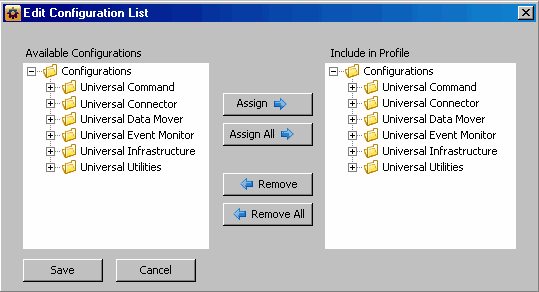
Adding configurations to the Include in Profile window does not remove them from the Available Configurations window.