Universal Configuration Manager - Universal Command Server
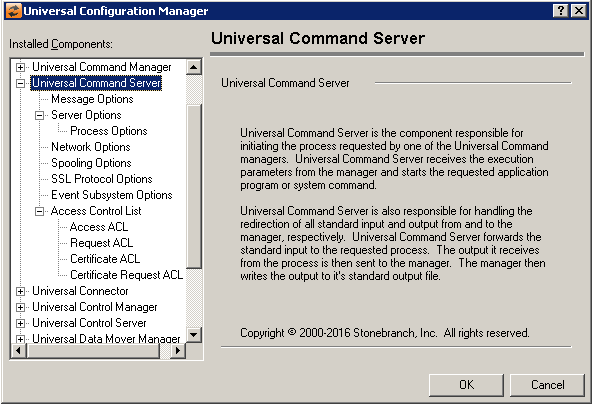
Universal Command Server: Message Options
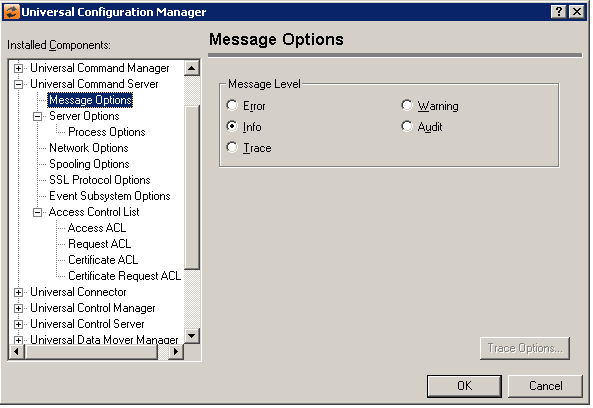
Field | Description |
|---|---|
Message Level | Error Warning Info Audit Trace |
Universal Command Server: Server Options
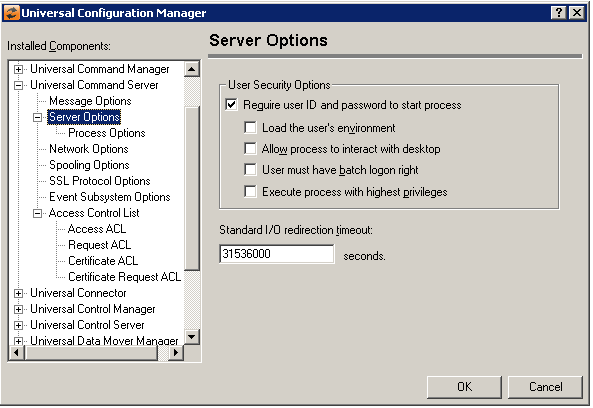
Field | Description |
|---|---|
User Security Options | Require User ID and password to start process Load the user’s environment Allow process to interact with desktop
User must have batch logon rights Execute process with highest privileges Note that this option is only recognized for Windows platforms starting with Windows Vista. It is ignored for Windows XP and Server 2003. |
Standard I/O redirection timeout | Specifies the length of time, in seconds, that a Universal Command Server will wait for stdin, stdout and stderr files of the process it starts to close. If the closure of those files is not detected within the time limit set by this value, the Universal Command Server will end, even if the process it started has not ended. |
Universal Command Server: Server Options - Process Options
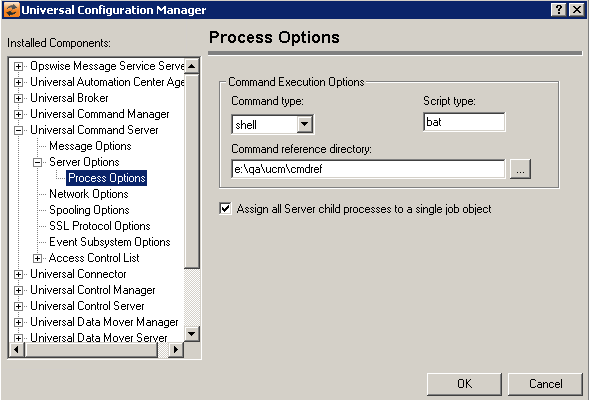
Field | Description |
|---|---|
Command Execution Options | Command Type Script Type Command reference directory |
Assign all Server child processes to a single job object | This option instructs a Universal Command Server how to manage the relationship between it and the child processes it creates. When this option is checked, the child process Universal Command Server starts - and any of that process's descendants - are assigned to a single entity known as a job. Assigning a process to a job simplifies process management, by causing all child processes (that is, the requested user process and any of its child processes) to terminate whenever their parent is cancelled (that is, Universal Command Server). When this option is NOT checked, no relationship among child processes is maintained, and each child process must be terminated individually when a Universal Command Server component is cancelled. This is the behavior exhibited in Universal Command Server releases prior to v3.2.0.0. Note: The value for this option may be overridden from the remote Universal Command Manager's command options on a per-request basis. |
Universal Command Server: Network Options
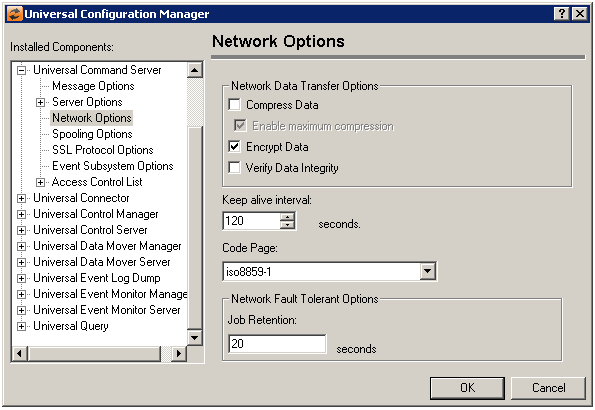
Field | Description |
|---|---|
Network Data Transfer Options | Compress Data Enable max compression Encrypt Data Verify Data integrity |
Keep live Interval | This value specifies the frequency with which a keep alive message will be sent to the Universal Command Manager. The manager uses this message to verify that a network connection still exists with the server during periods of network inactivity. |
Code Page | Sets the translation table used to translate text-based data transmitted across the network. |
Network Fault Tolerant Options | Job Retention |
Universal Command Server: Spooling Options
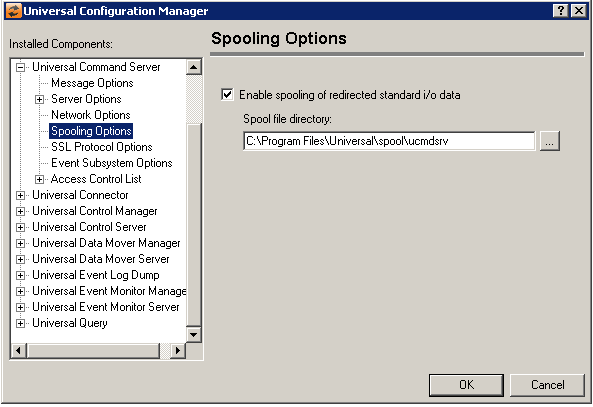
Field | Description |
|---|---|
Enable spooling of redirected standard i/o data | Controls whether or not the Universal Command Server will allow redirected input and output to be spooled. When checked, the Universal Command Server will spool redirected i/o, provided the Universal Command Manager has requested it. If this option is not checked, no spooling will be done, and all requests by Universal Command Managers to do so will be rejected. |
Spool file directory | The directory where spool files for each component instance will be stored. This directory must be located on local storage. It may not be located on any storage area accessed via the network which includes but is not limited to NFS, SAMBA, Microsoft File Sharing. |
Universal Command Server: SSL/TLS Protocol Options
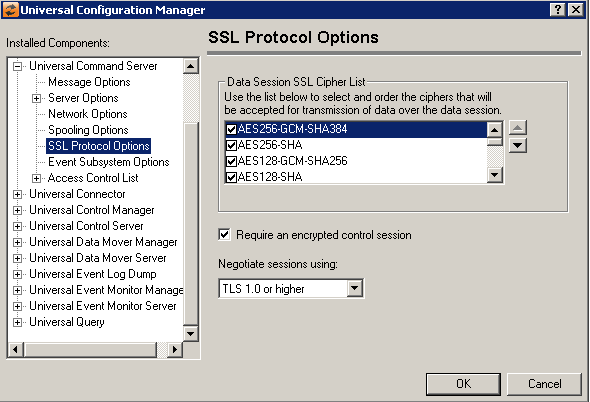
Field | Description |
|---|---|
Data Session SSL Cipher List | Universal Command uses the SSL/TLS protocol for data encryption. SSL/TLS has a variety of encryption and message digest algorithms that can be used for network communication. The SSL/TLS cipher suites available for network communication over the data session are listed here. The cipher suites to use may be specified by checking the box to the left of the cipher name. The order in which the suites are applied may also be specified by selecting the up/down arrows to the right of the list. Please note that the order may be changed for any of the ciphers listed, but only those with a check next to their name will be used. The following cipher suites are available:
|
Require and encrypted control session | Select this option to require encryption over the control session between the UCMD Manager and Server. When this option is selected, the UCMD Server will not accept a control session SSL/TLS cipher of NULL-NULL from the remote UCMD Manager. When this option is not selected, the UCMD Server will accept any control session cipher from the UCMD Manager, even one that disables SSL/TLS encryption. This option is checked by default. |
Negotiate sessions using | (No help available.) |
Universal Command Server: Event Subsystem Options
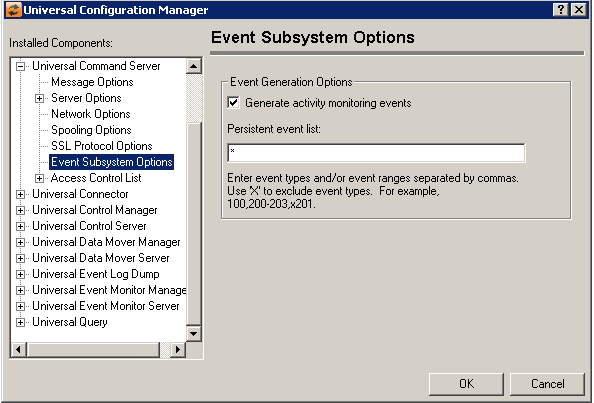
Field | Description |
|---|---|
Event Generation Options | Generate activity monitoring events Persistent event list Enter a list and/or range of numeric event types, separated by a comma. To exclude an event or range of events, precede the entry with an upper- or lower-case 'X'. Use an asterisk (*) to specify all event types. For example:
Entries are processed from left to right, and the list is order dependent. For example, an entry of x*,100 prevents generation of all event types except 100, while an entry of 100,x* prevents generation of all event types (the right-most entry takes precedence). |
Universal Command Server: Access Control List
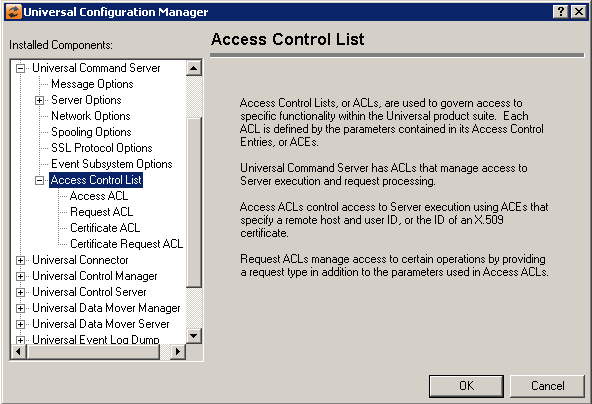
Universal Command Server: Access Control List - Access ACL
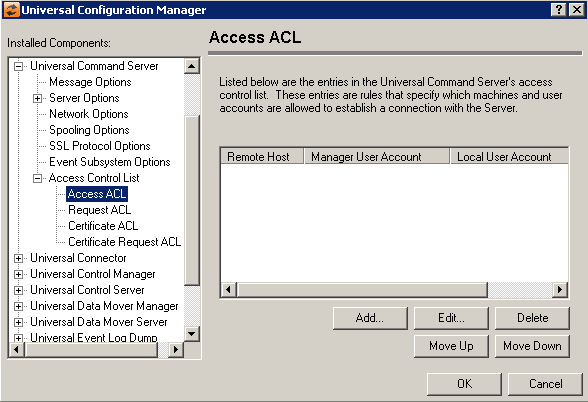
Field | Description |
|---|---|
Access Control List | Displays the entries contained in the Universal Command Server Access Control List (ACL). This list is used to grant or deny access to Universal Command Server based on the remote system's IP address, the user account running the Universal Command Manager, and the user account with which the Server is executed. The order in which ACL entries are evaluated and applied are based on their position in this list. Use the Move Up and Move Down buttons to change an entry's priority. |
Add Button | Displays a dialog box that allows an entry to be added to the Access Control List. The fields in this dialog are populated with default values.
Remote Host Name/IP Address Universal Command Manager User Account Local User Account Access Type |
Edit Button | Displays a dialog that allows the selected Access Control List entry to be modified.
Remote Host Name/IP Address Universal Command Manager User Account Local User Account Access Type |
Delete Button | Removes the selected item from the Access Control List. |
Move Up Button | Moves the selected item up one position in the list. |
Move Down Button | Moves the selected item down one position in the list. |


Universal Command Server: Access Control List: Request ACL
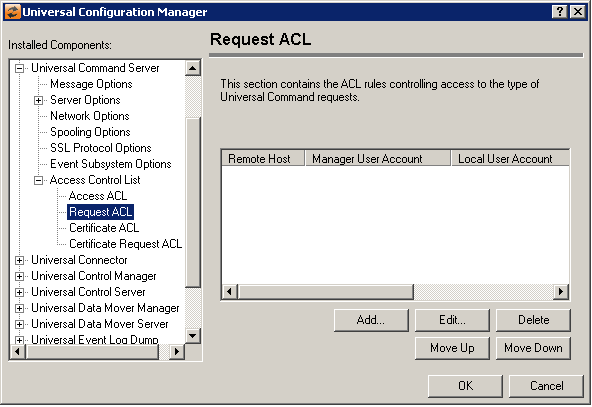
Field | Description |
|---|---|
Request ACL List | Displays the entries contained in the Universal Command Request Access Control List (ACL). The order in which ACL entries are evaluated and applied are based on their position in this list. Use the Move Up and Move Down buttons to change an entry's priority. |
Add Button | Displays a dialog box that allows an entry to be added to the Access Control List. The fields in this dialog are populated with default values.
Remote Host Name/IP Address Universal Command Manager User Account Local User Account Request Type Request Name Access Type |
Edit Button | Displays a dialog that allows the selected Access Control List entry to be modified.
Remote Host Name/IP Address Universal Command Manager User Account Local User Account Request Type Request Name Access Type |
Delete Button | Removes the selected item from the Access Control List. |
Move Up Button | Moves the selected item up one position in the list. |
Move Down Button | Moves the selected item down one position in the list. |


Universal Command Server: Access Control List - Certificate ACL
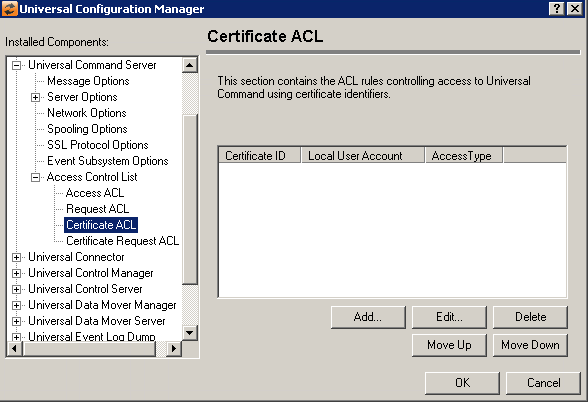
Field | Description |
|---|---|
Certificate ACL List | Displays the entries contained in the Universal Command Certificate Access Control List (ACL). The order in which ACL entries are evaluated and applied are based on their position in this list. Use the Move Up and Move Down buttons to change an entry's priority. |
Add Button | Displays a dialog box that allows an entry to be added to the Access Control List. The fields in this dialog are populated with default values.
Certificate ID Local User Account Access Type |
Edit Button | Displays a dialog that allows the selected Access Control List entry to be modified.
Certificate ID Local User Account Access Type |
Delete Button | Removes the selected item from the Access Control List. |
Move Up Button | Moves the selected item up one position in the list. |
Move Down Button | Moves the selected item down one position in the list. |


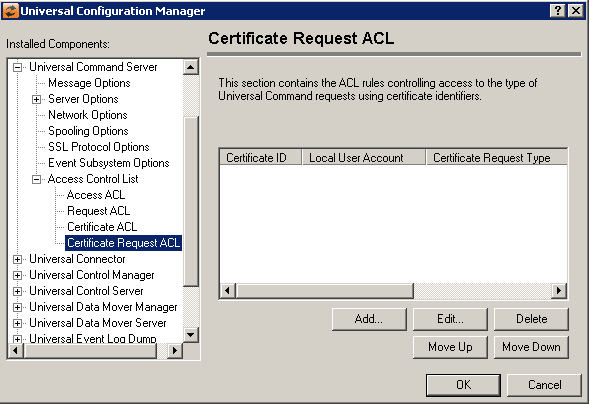
Universal Command Server: Access Control List: Certificate Request ACL
Field | Description |
|---|---|
Certificate Request ACL List | Displays the entries contained in the Universal Command Certificate Request Access Control List (ACL). The order in which ACL entries are evaluated and applied are based on their position in this list. Use the Move Up and Move Down buttons to change an entry's priority. |
Add Button | Displays a dialog box that allows an entry to be added to the Access Control List. The fields in this dialog are populated with default values.
Certificate ID Local User Account Request Type Request Name: Access Type |
Edit Button | Displays a dialog that allows the selected Access Control List entry to be modified.
Certificate ID Local User Account Request Type Request Name: Access Type |
Delete Button | Removes the selected item from the Access Control List. |
Move Up Button | Moves the selected item up one position in the list. |
Move Down Button | Moves the selected item down one position in the list. |

