Universal Configuration Manager - Universal Control Manager
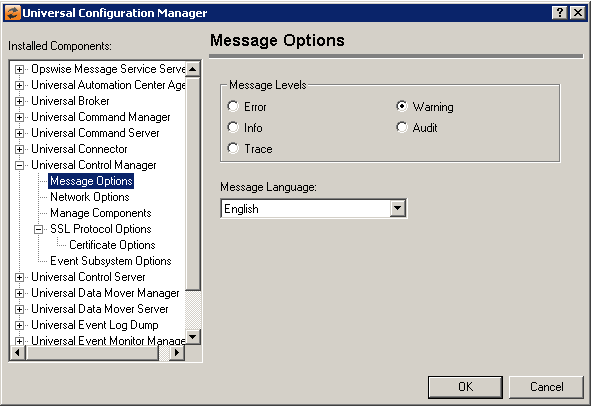
Universal Control Manager: Message Options
Field | Description |
|---|---|
Message Level | Error Warning Info Audit Trace |
Message Language | Specifies the language used to display error messages. |
Universal Control Manager: Network Options
Field | Description |
|---|---|
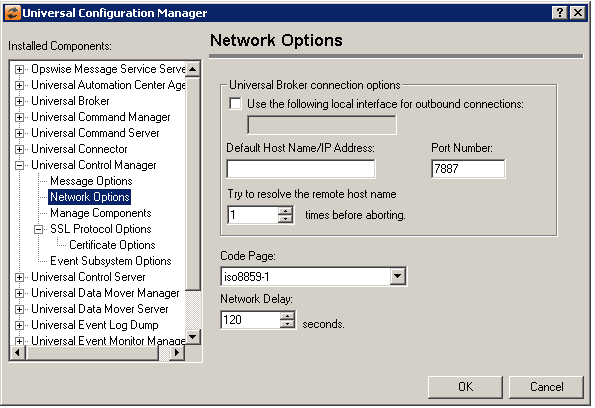
Universal Broker Connection Options | Use the following local interface for outbound connections Default Host Name/IP Address Port Number Try to resolve the remote host name |
Code Page | Sets the translation table used to translate text-based data transmitted across the network. |
Network Delay | The network delay value specifies the maximum acceptable delay in the network. Should it take longer then the specified delay time to send or receive data over the network, the operation will end with a time out error. The default is 120 seconds. |
Universal Control Manager: Manage Components
Field | Description |
|---|---|
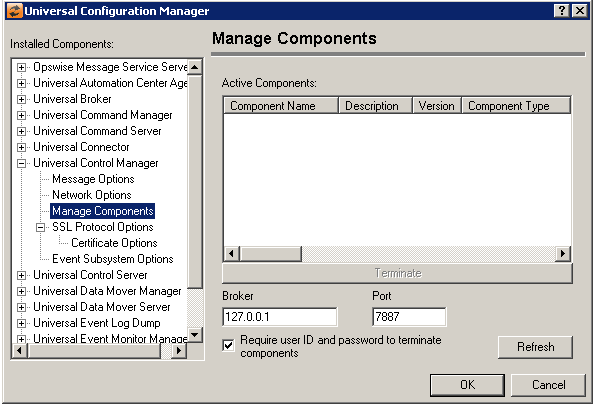
Active Components | Contains a list of components that are currently running. |
Broker | Address of the Broker to query. |
Port | Port the Broker being queried is listening on. |
Require user ID and password to terminate components | When checked, a dialog will be displayed when the Terminate button is selected that will prompt for a user ID and password. This is necessary if either of the following are true: a) the Universal Control Server is configured to run with security, or b) the Universal Control Server has an ACL entry that requires user authentication.
|
Refresh Button | Updates the list of active components. |
Universal Control Manager: SSL/TLS Protocol Options
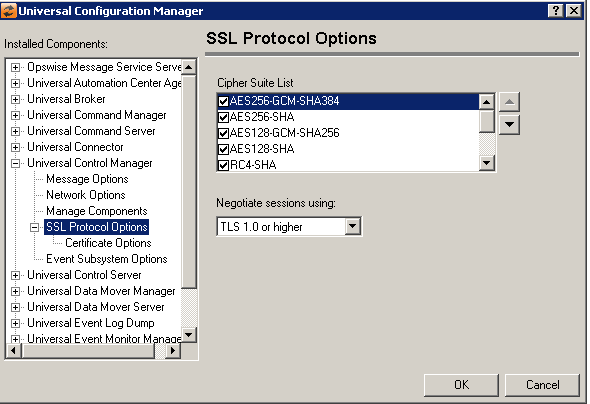
Field | Description |
|---|---|
Cipher Suite List | The cipher suite specifies the symmetric and message digest algorithms used for a session. The cipher suite is negotiated as part of the SSL/TLS handshake. If one of the cipher suites in the list cannot be agreed upon, the SSL/TLS handshake will fail, and the connection will be closed. |
Negotiate Sessions using: | (No help provided.) |
Universal Control Manager: SSL/TLS Protocol Options - Certificate Options
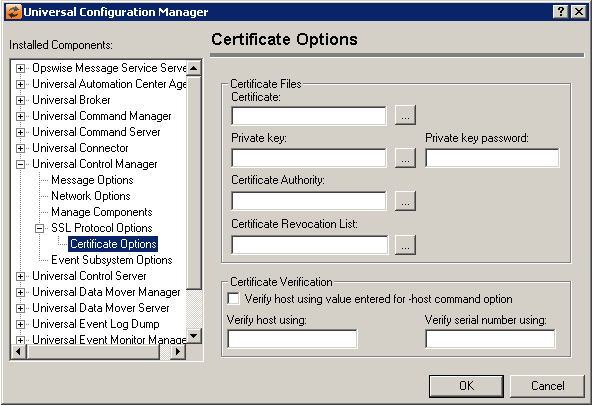
Field | Description |
|---|---|
Certificate Files | Certificate Private Key Private Key Password Certificate Authority Certificate Revocation List |
Certificate Verification | Verify host using value entered for -host command option Verify host Using Verify serial number using |
Universal Control Manager: Event Subsystem Options
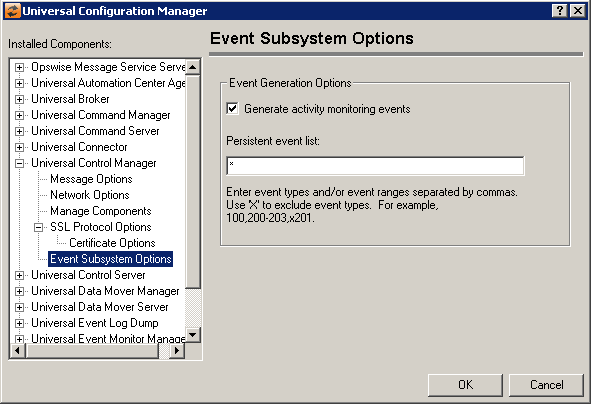
Field | Description |
|---|---|
Event Generation Options | Generate activity monitoring events Persistent event list Enter a list and/or range of numeric event types, separated by a comma. To exclude an event or range of events, precede the entry with an upper- or lower-case 'X'. Use an asterisk ( * ) to specify all event types. For example:
Entries are processed from left to right, and the list is order dependent. For example, an entry of x*,100 prevents generation of all event types except 100, while an entry of 100,x* prevents generation of all event types (the right-most entry takes precedence). |