Universal Configuration Manager - Universal Control Server
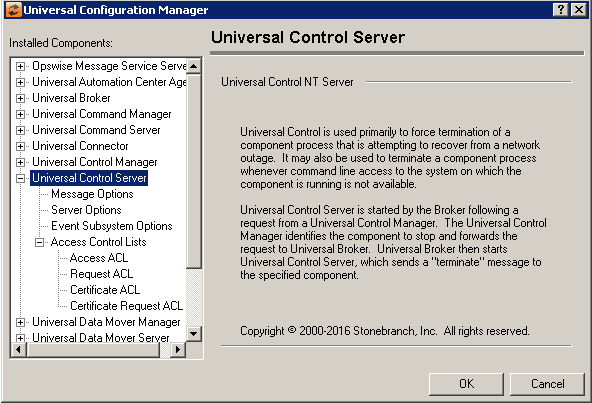
Universal Control Server: Message Options
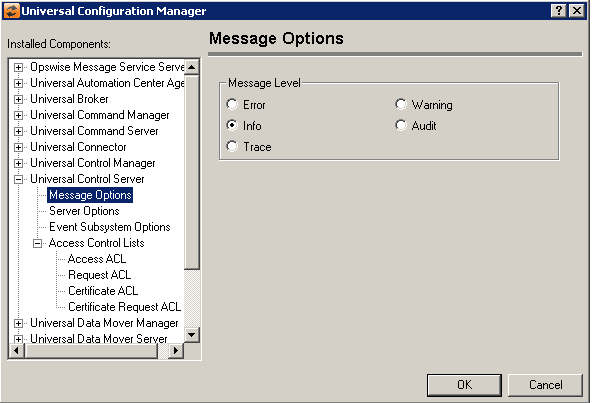
Field | Description |
|---|---|
Message Level | Error Warning Info Audit Trace |
Universal Control Server: Server Options
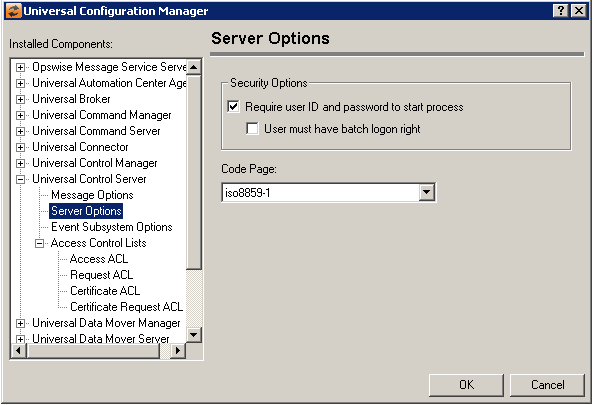
Field | Description |
|---|---|
Security Options | Require User ID and Password to start process User must have batch logon right |
Code Page | Sets the translation table used to translate text-based data transmitted across the network. |
Universal Control Server: Event Subsystem Options
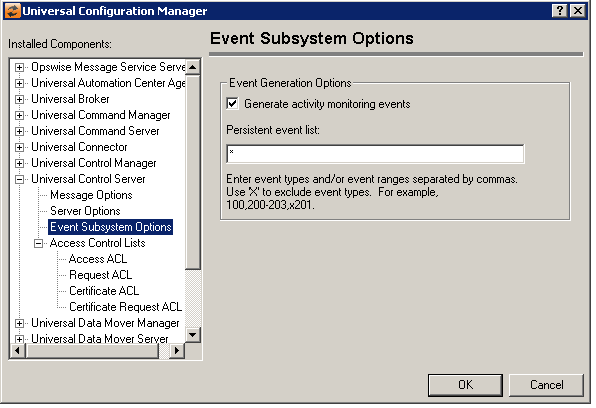
Field | Description |
|---|---|
Event Generation Options | Generate activity monitoring events Persistent event list Enter a list and/or range of numeric event types, separated by a comma. To exclude an event or range of events, precede the entry with an upper- or lower-case 'X'. Use an asterisk (*) to specify all event types. For example:
Entries are processed from left to right, and the list is order dependent. For example, an entry of x*,100 prevents generation of all event types except 100, while an entry of 100,x* prevents generation of all event types (the right-most entry takes precedence). |
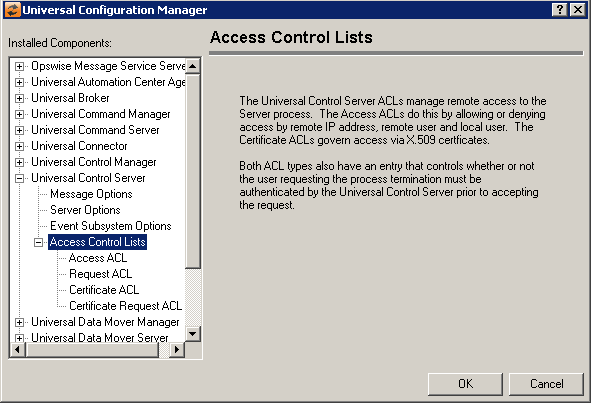
Universal Control Server: Access Control Lists
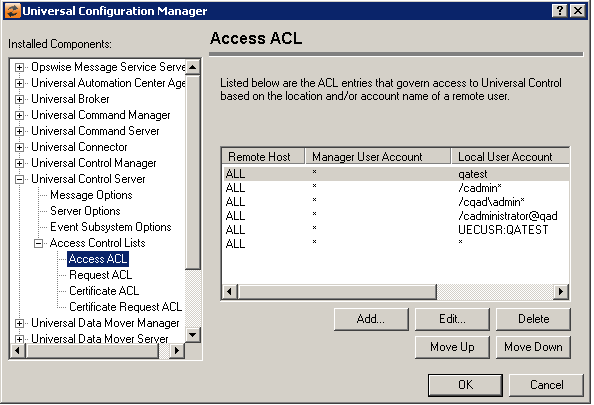
Universal Control Server: Access Control Lists - Access ACL
Field | Description |
|---|---|
Access Control List | Displays the entries contained in the Universal Control Server Access Control List (ACL). This list is used to grant or deny access to Universal Control Server based on the remote system's IP address, the user account running the Universal Control Manager, and the user account with which the Server is executed. The order in which ACL entries are evaluated and applied are based on their position in this list. Use the Move Up and Move Down buttons to change an entry's priority. |
Add Button | Displays a dialog box that allows an entry to be added to the Access Control List. The fields in this dialog are populated with default values.
Remote Host Name/IP Address Universal Control Manager User Account Local User Account Access Type Requires Matching local user account |
Edit Button | Displays a dialog that allows the selected Access Control List entry to be modified.
Remote Host Name/IP Address Universal Control Manager User Account Local User Account Access Type Requires Matching local user account |
Delete Button | Removes the selected item from the Access Control List. |
Move Up Button | Moves the selected item up one position in the list. |
Move Down Button | Moves the selected item down one position in the list. |


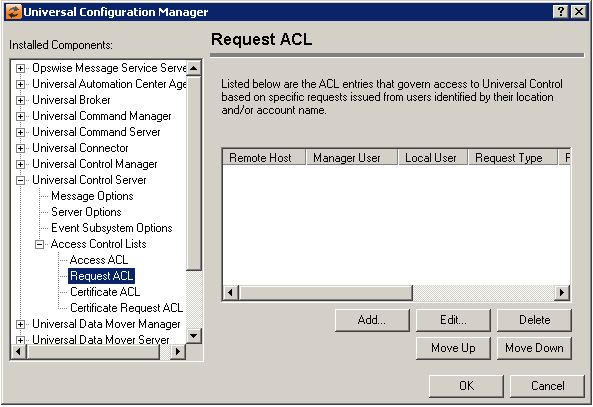
Universal Control Server: Access Control Lists - Request ACL
Field | Description |
|---|---|
Request ACL List | Displays the entries contained in the Universal Control Server Access Control List (ACL). This list is used to grant or deny the ability to issue specific Universal Control Server requests based on the remote system's IP address, the user account running the Universal Control Manager, and a locally authenticated user account. The order in which ACL entries are evaluated and applied are based on their position in this list. Use the Move Up and Move Down buttons to change an entry's priority. |
Add Button | Displays a dialog box that allows an entry to be added to the Access Control List. The fields in this dialog are populated with default values.
Remote Host Name/IP Address Universal Command Manager User Account Local User Account Request Type Request Name Access Type Requires Matching local user account |
Edit Button | Displays a dialog that allows the selected Access Control List entry to be modified.
Remote Host Name/IP Address Universal Control Manager User Account Local User Account Request Type Request Name Access Type Requires Matching local user account |
Delete Button | Removes the selected item from the Access Control List. |
Move Up Button | Moves the selected item up one position in the list. |
Move Down Button | Moves the selected item down one position in the list. |


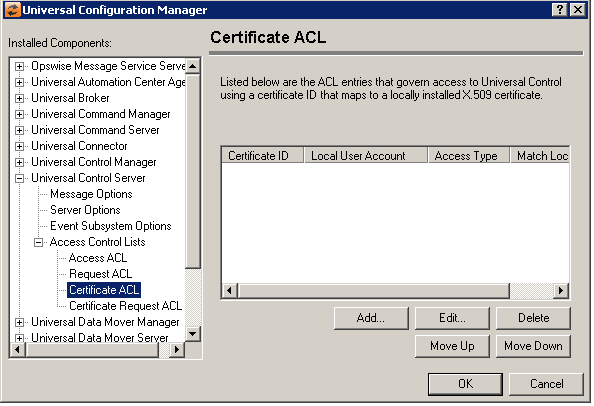
Universal Control Server: Access Control Lists - Certificate ACL
Field | Description |
|---|---|
Certificate ACL List | Displays the entries contained in the Universal Control Certificate Access Control List (ACL). The order in which ACL entries are evaluated and applied are based on their position in this list. Use the Move Up and Move Down buttons to change an entry's priority. |
Add Button | Displays a dialog box that allows an entry to be added to the Access Control List. The fields in this dialog are populated with default values.
Certificate ID Local User Account Access Type Requires Matching local user account |
Edit Button | Displays a dialog that allows the selected Access Control List entry to be modified.
Certificate ID Local User Account Access Type Requires Matching local user account |
Delete Button | Removes the selected item from the Access Control List. |
Move Up Button | Moves the selected item up one position in the list. |
Move Down Button | Moves the selected item down one position in the list. |


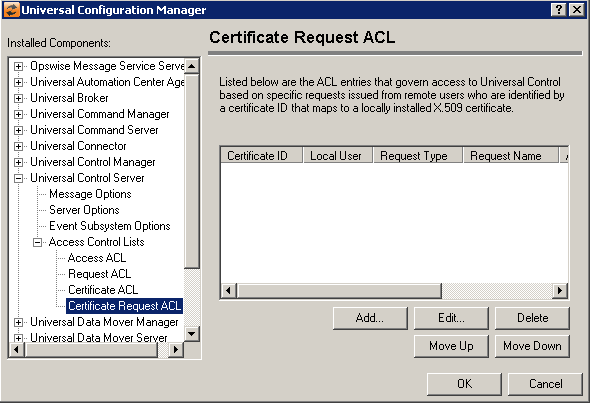
Universal Control Server: Access Control Lists - Certificate Request ACL
Field | Description |
|---|---|
Certificate Request ACL List | Displays the entries contained in the Universal Control Server Access Control List (ACL). This list is used to grant or deny access to specific Universal Control Server requests based on a remote user who is identified by a certificate ID (which maps to a locally installed X.509 certificate), and a locally authenticated user account. The order in which ACL entries are evaluated and applied are based on their position in this list. Use the Move Up and Move Down buttons to change an entry's priority. |
Add Button | Displays a dialog box that allows an entry to be added to the Access Control List. The fields in this dialog are populated with default values.
Certificate ID Local User Account Request Type Request Name: Access Type Requires Matching local user account |
Edit Button | Displays a dialog that allows the selected Access Control List entry to be modified.
Certificate ID Local User Account Request Type Request Name: Access Type Requires Matching local user account |
Delete Button | Removes the selected item from the Access Control List. |
Move Up Button | Moves the selected item up one position in the list. |
Move Down Button | Moves the selected item down one position in the list. |

