Universal Configuration Manager - Universal Data Mover Server
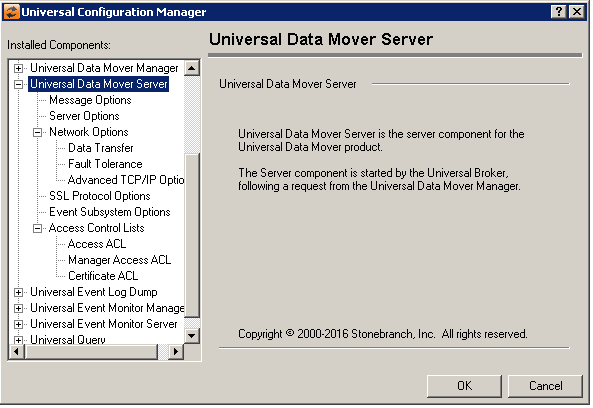
Universal Data Mover Server: Message Options
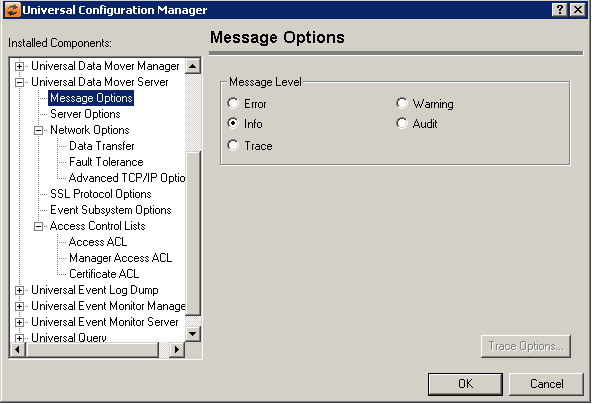
Field | Description |
|---|---|
Message Level | Error Warning Info Audit Trace |
Universal Data Mover Server: Server Options
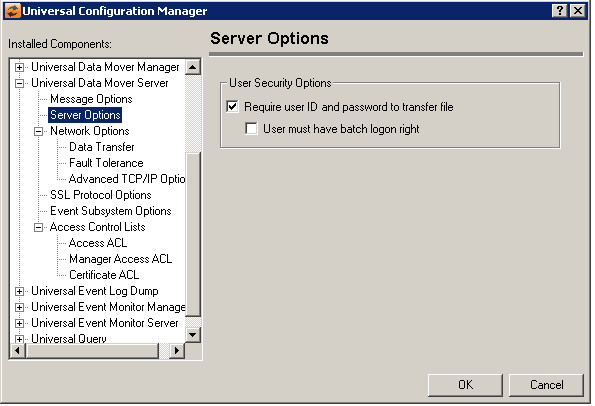
Field | Description |
|---|---|
User Security Options | Require user ID and password to transfer file User must have batch logon right |
Universal Data Mover Server: Network Options
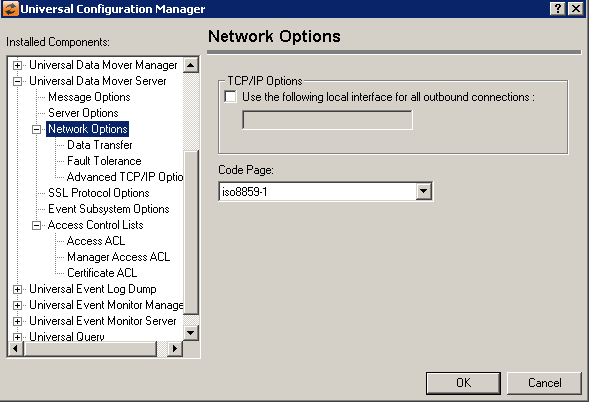
Field | Description |
|---|---|
TCP/IP Options | Use the following local interface for all outbound connections The input box specifies the IP address or alias of a local interface that should be used for all outbound TCP/IP connections established by UDM Server. To have UDM Server use any local interface available, leave this value blank. |
Code Page | Sets the translation table used to translate text-based data transmitted across the network. |
Universal Data Mover Server: Network Options - Data Transfer
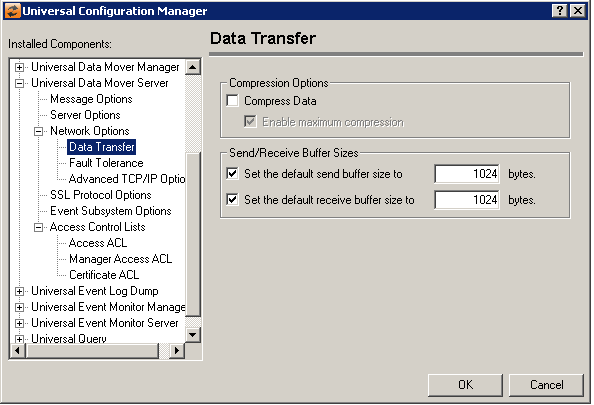
Field | Description |
|---|---|
Compression Options | Compress Data Enable maximum compression |
Send Receive Buffer Sizes | Set Default send buffer size to Set Default receive buffer size to |
Universal Data Mover Server: Network Options - Fault Tolerance
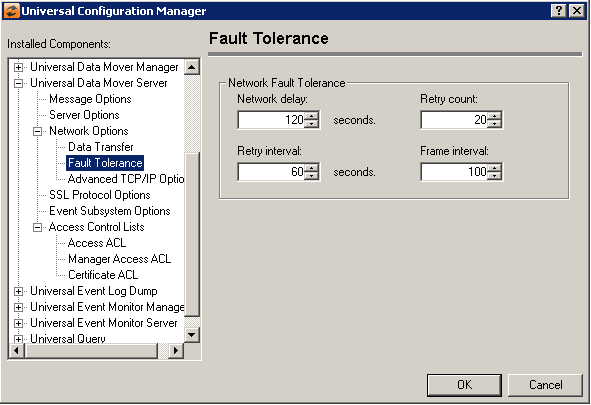
Field | Description |
|---|---|
Network Fault Tolerance | Network delay Retry count Retry Interval Frame interval |
Universal Data Mover Server: Network Options - Advanced TCP/IP Options
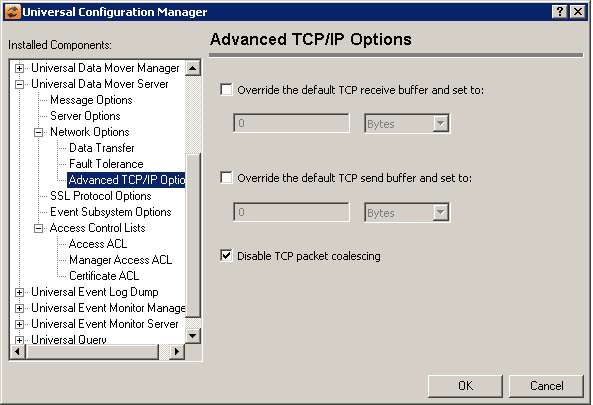
Field | Description |
|---|---|
Override the default TCP receive buffer and set to: | Specifies the TCP receive buffer size for TCP socket connections established from the UDM primary server to the UDM secondary server. The option has no effect for UDM two party transfers. The UDM manager and Universal Broker configuration affects UDM two party transfers. Refer to the Universal Broker tcp_recv_buffer option to set the TCP receive buffer for the other end of the socket connection. The socket TCP buffer is used by TCP to determine the size of the TCP window it advertises to the sending TCP. If both TCP implemenations support window scaling (as defined in RFC 1323), buffer sizes greater then 65535 will be used for the TCP window size. Note that both the sending and receiving TCP implemenations must support window scaling for it to be used in the TCP connection. Adjusting the TCP receive buffer size may improve bulk data transfer performance for certain types of transmission links when transfering data from the UDM secondary server to the UDM primary server. The format of the value is nnnnb, where 'nnnn' is a numeric value and 'b' is one of the following optional unit specifiers:
Note that the maximum allowable value for this option is 1076725440 bytes, which can be requested using a value of 1g. |
Override the default TCP send buffer and set to | Specifies the TCP send buffer size for TCP socket connections established from the UDM primary server to the UDM secondary server. The option has no effect for UDM two party transfers. The UDM manager and Universal Broker configuration affects UDM two party transfers. Refer to the Universal Broker tcp_send_buffer option to set the TCP send buffer for the other end of the socket connection. Adjusting the TCP send buffer size may improve bulk data transfer performance for certain types of transmission links when transfering data from the UDM manager to UDM server. The format of the value is nnnnb, where 'nnnn' is a numeric value and 'b' is one of the following optional unit specifiers:
Note that the maximum allowable value for this option is 1076725440 bytes, which can be requested using a value of 1g. |
Disable TCP packet coalescing | Select this option to disable the TCP packet coalescing algorithm (that is, Nagle algorithm). When this option is unchecked, the default TCP implementation is used, which may or may not disable the algorithm. Exercise caution when changing this option, as it could have a significant performance impact. See the tcp_no_delay configuration option in the UDM Reference Manual for more information. This option is checked by default. |
Universal Data Mover Server: SSL/TLS Protocol Options
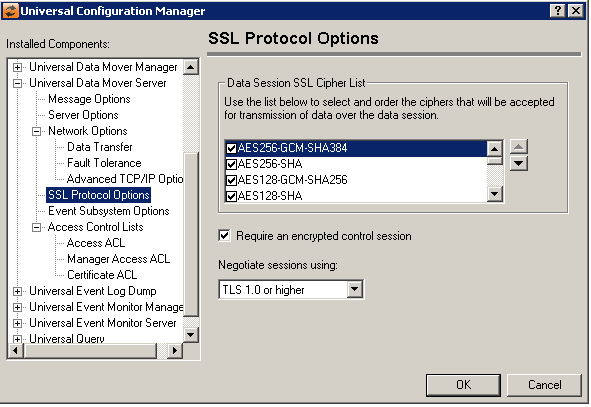
Field | Description |
|---|---|
Data Session SSL cipher List | Universal Data Mover Server uses the SSL/TLS protocol for transmission of data across the network. A data session is established within the application that provides the connections necessary for the transfer of data to take place. The SSL/TLS cipher suites available for communication across the data session are listed here. The Server will compare the Manager's cipher list to its own list of ciphers. The result of the comparison will be an agreed-upon cipher used for communication over the data session. Use the up/down arrows on the right to sort the list and establish a priority for the selected ciphers. The first one in the list that is accepted by the Server will be the one used. The following cipher suites are available:
|
Require and encrypted control session | Select this option to require encryption over the control session between the UDM Manager and Server. When this option is selected, the UDM Server will not accept a control session SSL/TLS cipher of NULL-NULL from the remote UDM Manager. |
Negotiate sessions using | (No help provided.) |
Universal Data Mover Server: Event Subsystem Options
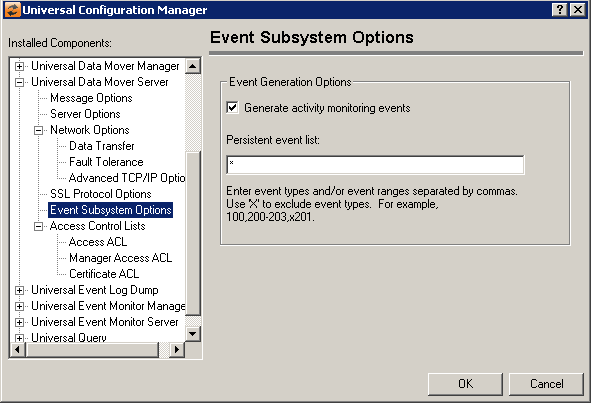
Field | Description |
|---|---|
Event Generation Options | Generate activity monitoring events Persistent event list Enter a list and/or range of numeric event types, separated by a comma. To exclude an event or range of events, precede the entry with an upper- or lower-case 'X'. Use an asterisk * to specify all event types. For example:
Entries are processed from left to right, and the list is order dependent. For example, an entry of x*,100 prevents generation of all event types except 100, while an entry of 100,x* prevents generation of all event types (the right-most entry takes precedence). |
Universal Data Mover Server: Access Control Lists
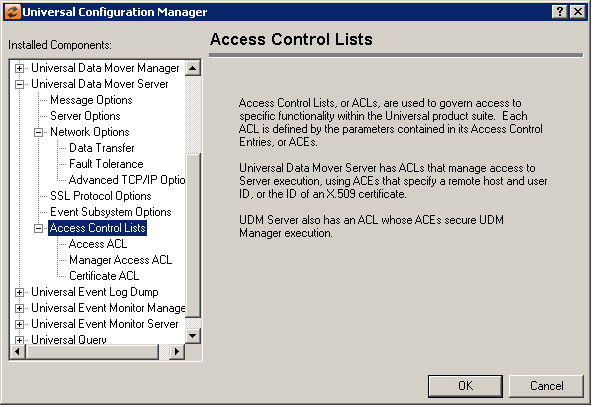
Universal Data Mover Server: Access Control Lists - Access ACL
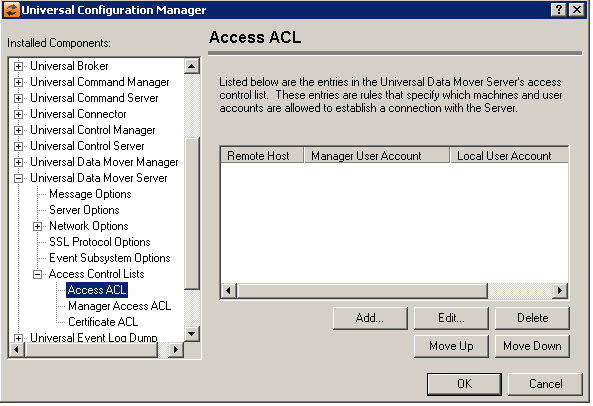
Field | Description |
|---|---|
Access Control List | Displays the entries contained in the Universal Data Mover Server Access Control List (ACL). This list is used to grant or deny access to Universal Data Mover Server based on the remote system's IP address, the user account running the Universal Data Mover Manager, and the user account with which the Server is executed. The order in which ACL entries are evaluated and applied are based on their position in this list. Use the Move Up and Move Down buttons to change an entry's priority. |
Add Button | Displays a dialog box that allows an entry to be added to the Access Control List. The fields in this dialog are populated with default values.
Remote Host Name/IP Address Universal Data Mover Manager User Account Local User Account Access Type |
Edit Button | Displays a dialog that allows the selected Access Control List entry to be modified.
Remote Host Name/IP Address Universal Control Manager User Account Local User Account Access Type |
Delete Button | Removes the selected item from the Access Control List. |
Move Up Button | Moves the selected item up one position in the list. |
Move Down Button | Moves the selected item down one position in the list. |


Universal Data Mover Server: Access Control Lists - Manage Access ACL
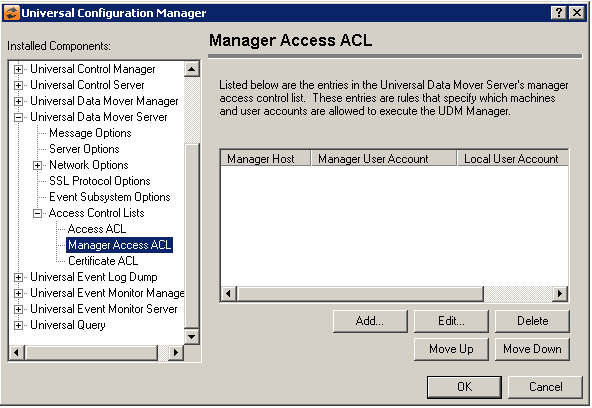
Field | Description |
|---|---|
Manager Access ACL List | Displays the entries contained in the UDM Server Manager Access Control List (ACL). The order in which ACL entries are evaluated and applied are based on their position in this list. Use the Move Up and Move Down buttons to change an entry's priority. |
Add Button |
Manager Host Name / IP Address Manager User Account Local User Account Access Type |
Edit Button |
Manager Host Name / IP Address Manager User Account Local User Account Access Type |
Delete button | Removes the selected item from the List. |
Move Up button | Moves the selected item up one position in the list. |
Move Down button | Moves the selected item down one position in the list. |


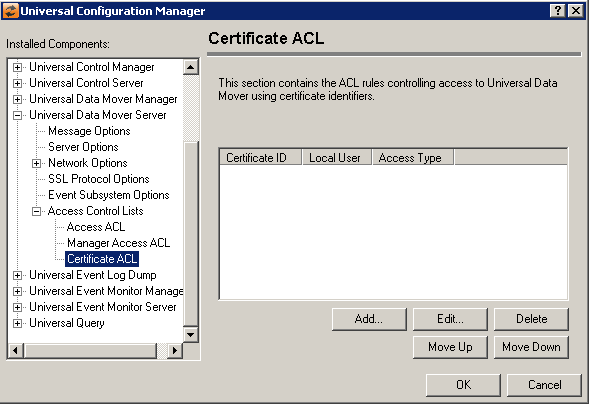
Universal Data Mover Server: Access Control Lists - Certificate ACL
Field | Description |
|---|---|
Certificate ACL List | Displays the entries contained in the Universal Data Mover Certificate Access Control List (ACL). The order in which ACL entries are evaluated and applied are based on their position in this list. Use the Move Up and Move Down buttons to change an entry's priority. |
Add Button | Displays a dialog box that allows an entry to be added to the Access Control List. The fields in this dialog are populated with default values.
Certificate ID Local User Account Access Type |
Edit Button | Displays a dialog that allows the selected Access Control List entry to be modified.
Certificate ID Local User Account Access Type |
Delete Button | Removes the selected item from the Access Control List. |
Move Up Button | Moves the selected item up one position in the list. |
Move Down Button | Moves the selected item down one position in the list. |

