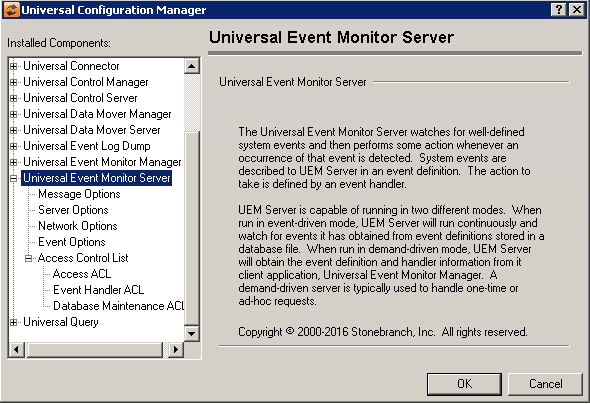
Universal Configuration Manager - Universal Event Monitor Server
Universal Event Monitor Server: Message Options
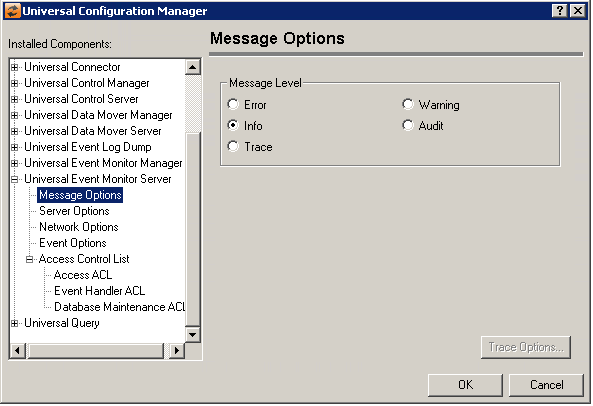
Field | Description |
|---|---|
Message Level | Error Warning Info Audit Trace |
Universal Event Monitor Server: Server Options
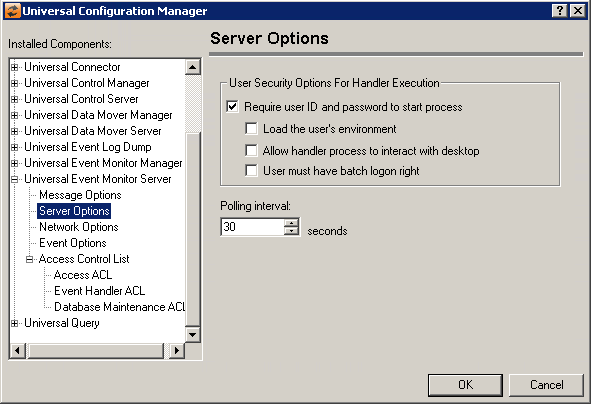
Field | Description |
|---|---|
User Security Options for handling Execution | Require user ID and password to start process Load the user’s environment Allow handler process to interact with desktop User must have Batch logon right |
Polling Interval | Specifies the frequency with which UEM Server will check (and update, if necessary) the active or inactive state of an enabled event definition. For those events that are active, any new occurrences of system events will also be detected at this time. |
Universal Event Monitor Server: Network Options
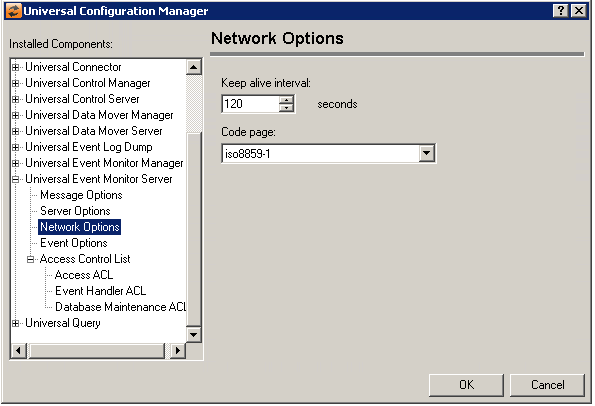
Field | Description |
|---|---|
Keep alive interval | This value specifies the frequency with which a demand driven UEM Server sends a keep alive message to the Universal Event Monitor Manager. This message ensures that the control session between the UEM Manager and Server remains open even when there is no monitoring activity or other information to send across that connection. |
Code Page | Sets the translation table used to translate text-based data transmitted across the network. |
Universal Event Monitor Server: Event Options
Field | Description |
|---|---|
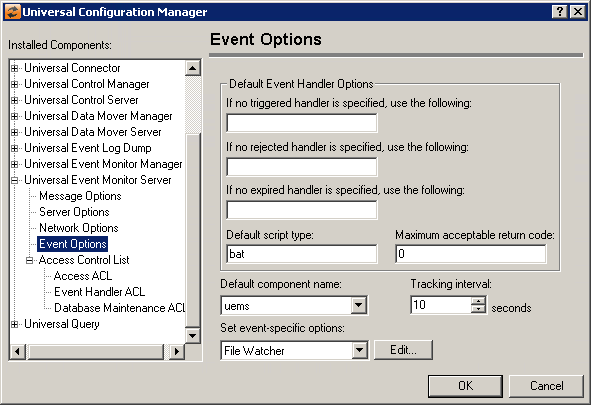
Default Event Handler Options | If no triggered handler is specified, use the following If no reject handler is specified, use the following If no expired handler is specified, use the following Default script type Maximum acceptable return code |
Default Component Name | Specifies the event driven UEM Server component (that is, those components with a component type of "uems") to which an event will be assigned if no component name is specified when the event definition is created. When this event driven UEM Server component starts, it will load and monitor those events that have been assigned to it. An event may not be assigned to a demand-driven UEM Server component (that is, those components with a component type of "uemd"), and only event-driven UEM Server components are listed here. |
Tracking interval | Specifies the frequency with which a tracked event occurrence will be tested for completeness, if no such value is provided in the event definition. A value of 0 indicates that an event occurrence will not be tracked, and will be tested for completeness as soon as the occurrence is detected by UEM Server. |
Set event-specific options | Lists the types of events supported by UEM Server. Default configuration options that are specific to the selected event type may be updated by selecting the Edit... button. |
Edit Button | Displays a dialog from which configuration options that are specific to the selected event type may be updated.
Rename the file for a triggered event occurrence
Minimum file size |

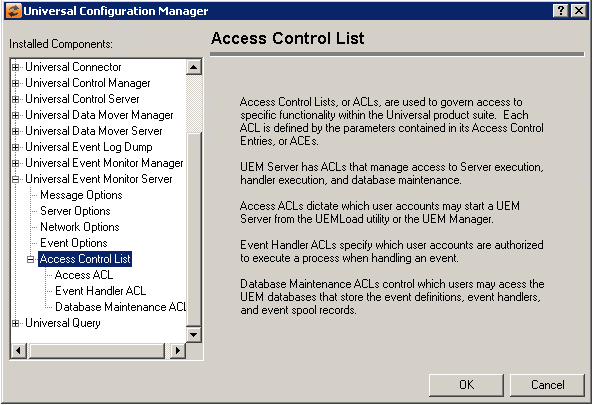
Universal Event Monitor Server: Access Control List
Universal Event Monitor Server: Access Control List: Access ACL
Field | Description |
|---|---|
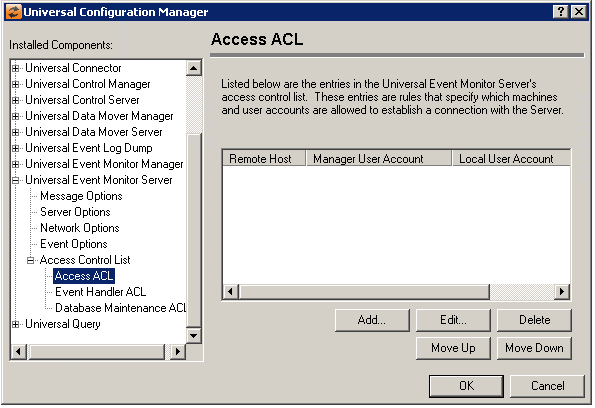
Access Control List (ACL) | Displays the entries contained in the Universal Event Monitor Server Access Control List (ACL). This list is used to grant or deny access to Universal Event Monitor Server based on the remote system's IP address, the user account running the Universal Event Monitor Manager or Load Utility, and the user account with which the Server is executed. The order in which ACL entries are evaluated and applied are based on their position in this list. Use the Move Up and Move Down buttons to change an entry's priority. |
Add Button | Displays a dialog box that allows an entry to be added to the Access Control List. The fields in this dialog are populated with default values.
Remote Host Name / IP Address Remote User Account Local User Account Access Type |
Edit Button | Displays a dialog that allows the selected Access Control List entry to be modified.
Remote Host Name / IP Address Remote User Account Local User Account Access Type |
Delete Button | Removes the selected item from the Access Control List. |
Move Up Button | Moves the selected item up one position in the list. |
Move Down Button | Moves the selected item down one position in the list. |


Universal Event Monitor Server: Access Control List - Event Handler ACL
Field | Description |
|---|---|
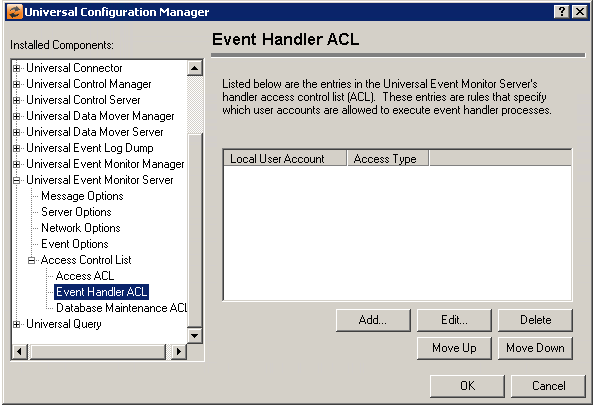
Event Handler Access Control List | Displays the entries contained in the Universal Event Monitor Server Handler Access Control List (ACL). This list is used to grant or deny access to execution of an Event Handler process based on the user account requested. The order in which ACL entries are evaluated and applied are based on their position in this list. Use the Move Up and Move Down buttons to change an entry's priority. |
Add Button | Displays a dialog box that allows an entry to be added to the Access Control List. The fields in this dialog are populated with default values.
Local User Account Access Type |
Edit Button | Displays a dialog that allows the selected Access Control List entry to be modified.
Local User Account Access Type |
Delete Button | Removes the selected item from the Access Control List. |
Move Up Button | Moves the selected item up one position in the list. |
Move Down button | Moves the selected item down one position in the list. |


Universal Event Monitor Server: Access Control List - Database Maintenance ACL
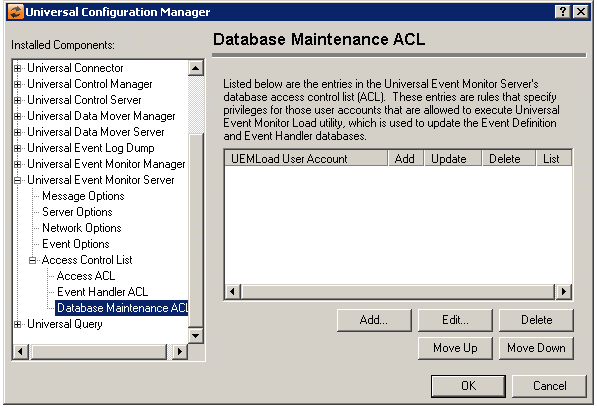
Field | Description |
|---|---|
Database Maintenance Access Control List | Displays the entries contained in the Universal Event Monitor Server Maintenance Access Control List (ACL). This list is used to grant or deny access to Event Definition and Event Handler database updates based on the user account with which the UEMLoad utility is run. The order in which ACL entries are evaluated and applied are based on their position in this list. Use the Move Up and Move Down buttons to change an entry's priority. |
Add Button | Displays a dialog box that allows an entry to be added to the Access Control List. The fields in this dialog are populated with default values.
UEMLoad User Account Event definition/event handler database access |
Edit Button | Displays a dialog that allows the selected Access Control List entry to be modified.
UEMLoad User Account Event definition/event handler database access |
Delete Button | Removes the selected item from the Access Control List. |
Move Up Button | Moves the selected item up one position in the list. |
Move Down button | Moves the selected item down one position in the list. |

