Audits
Audits are detailed records of all user interactions with the Controller, including before and after information related to any change and a description of the difference.
Audits are created when the user performs any of the following actions:
- Logging actions: log in, log out, or login failure.
- Creates, updates, or deletes a record.
- Issues an action or command (for example, Launch Task or Trigger Now).
- Imports or exports records on a list.
Displaying Audits
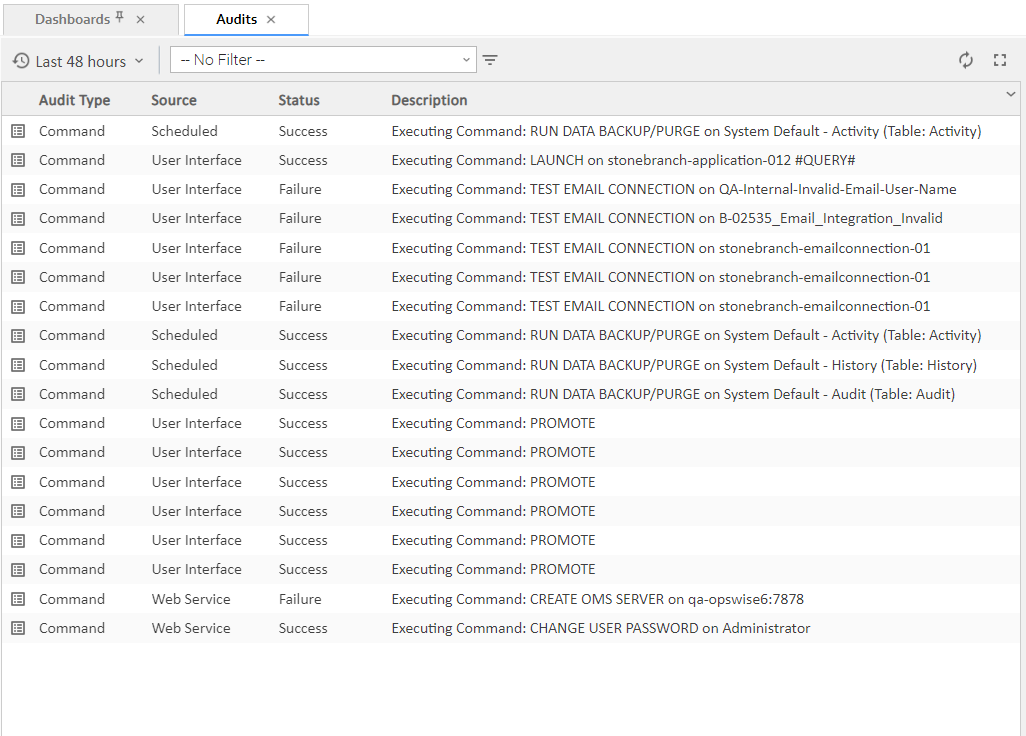
Step 1 | From the Administration navigation pane, select Audits. You can change the default time constraint for the display of audits on the list via the Audit Time Constraint user preference.
|
|---|---|
Step 2 | To display Details about a specified audit, click the icon next to the Audit Type for that audit, or click anywhere in the Audit row. The Audit Details for that audit then displays.
|
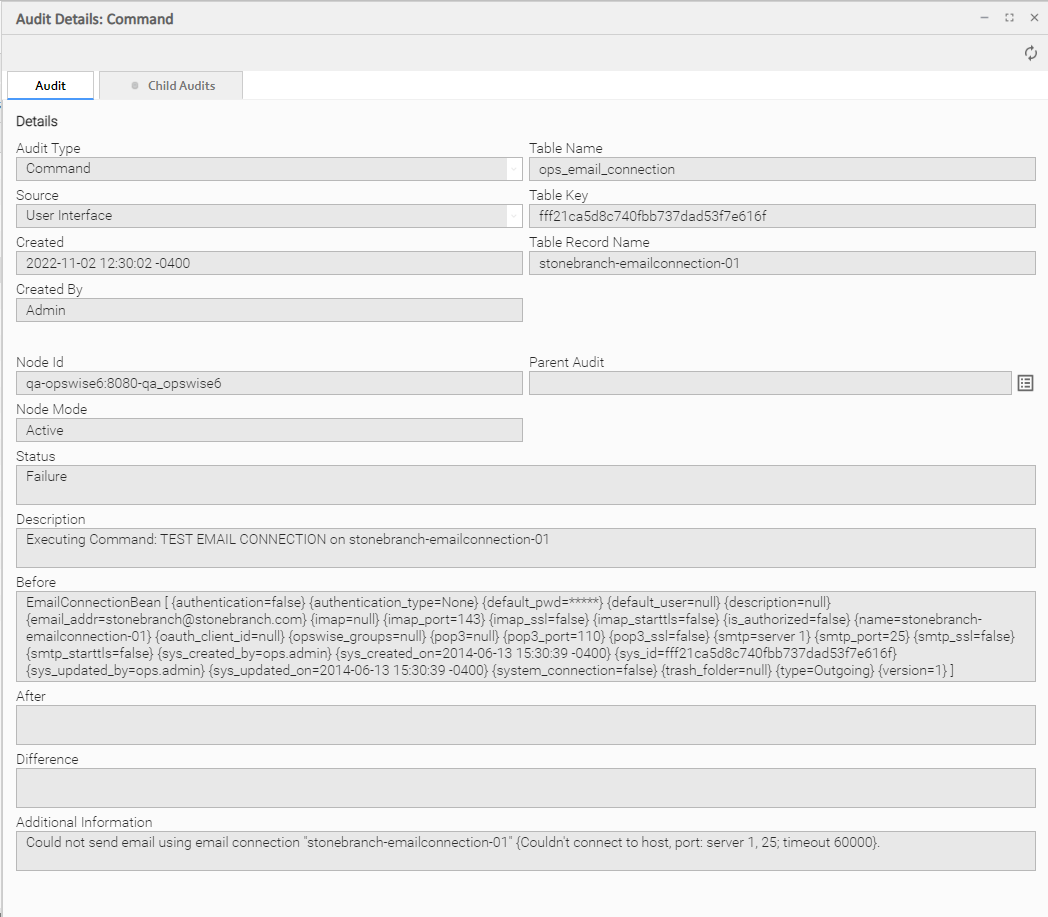
Audit Details Field Descriptions
The following tables describe the fields and tabs that display in the Audit Details.
Details
This section contains detailed information about the audit.
Field Name | Description |
|---|---|
Audit Type | Type of audit for which this Audit record was created. Options:
|
Table Name | Name of the table for which the user interaction was performed. |
Source | Location of the user interaction. Options:
|
Table Key | Encrypted key to the table for which the user interaction was performed. |
Created | Date when this audit was created. |
Table Record Name | Name of the table record for this user interaction was performed. |
Created By | User that created this audit. |
Node ID | URL of the cluster node on which this Audit was created. |
Parent Audit | Parent audit for which this audit was created automatically. |
Node Mode | Mode of the cluster node on which this Audit was created. |
Status | Status of the audit. |
Description | Description of the user interaction for which this audit was created. |
Before | Image of data before the user interaction. |
After | Image of data after the user interaction. |
Difference | Difference in the data as a result of the user interaction |
Additional Information | Any additional information captured for this user interaction. |
Change Description | If the Change History Enabled system property is true; Change Description for the Update. |
Metadata
This section contains Metadata information about this record.
Field Name | Description |
|---|---|
UUID | Universally Unique Identifier of this record. |
Replicated | If using a Universal Reporting Server, this field is automatically set to true if this record was replicated from another Controller. |
Updated By | Name of the user that last updated this record. |
Updated | Date and time that this record was last updated. |
Created By | Name of the user that created this record. |
Created | Date and time that this record was created. |
Buttons
This section identifies the buttons displayed above and below the Audit Details that let you perform various actions.
Field Name | Description |
|---|---|
Refresh | Refreshes any dynamic data displayed in the Audit Details. |
Close | Closes the Audit Details. |
Redo | For Command type Enable Trigger or Disable Trigger; Execute the same command again (Enable or Disable). |
Undo | For Command type Enable Trigger or Disable Trigger; Execute Disable for Enable command and Enable for Disable command. |
Tabs
This section identifies the tabs across the top of the Audit Details that provide access to additional information about the audit.
Field Name | Description |
|---|---|
Child Audits | List of any child audits for this audit. |