Data Encryption Key Settings
Data Encryption Key Settings is the user interface for enabling and managing Data Encryption Keys (DEKs). From here you enable Data Encryption Keys for the Controller and view the keys maintained for each Data Encryption Key type.
Data Encryption Key Settings is a single, system-supplied record that holds the global configuration for Data Encryption Keys. This record cannot be created or deleted.
Users with the ops_service role can view Data Encryption Key Settings and the keys. Enabling Data Encryption Keys and managing keys requires the ops_admin role.
Accessing Data Encryption Key Settings
Step 1 | From the Administration navigation pane, select Services > Data Encryption Key Settings. The Data Encryption Key Settings page displays.
|
|---|---|
Step 2 | Enter / select your settings, using the field descriptions below as a guide. |
Step 3 | Click the Save button. |
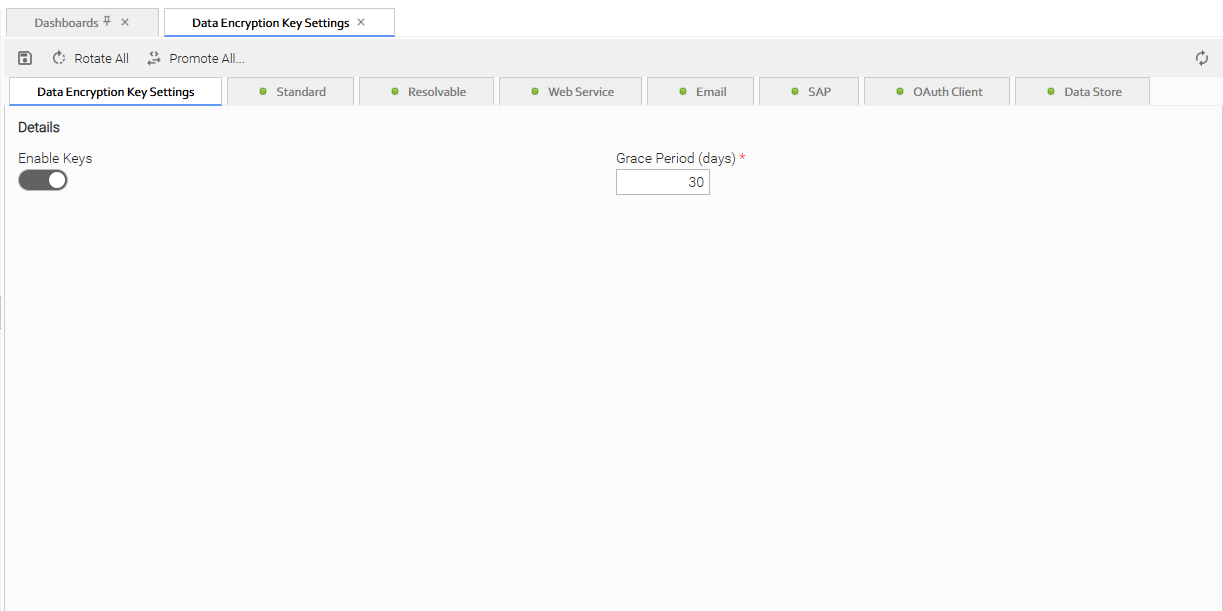
Enabling Data Encryption Keys
By default, the Enable Keys toggle is off and the per-type Encryption Keys tabs are disabled.
When you enable Data Encryption Keys and save the settings:
- A Primary key is generated for each Data Encryption Key type.
- All existing sensitive fields are re-encrypted using the Primary key for their type.
A configured keyring is required to enable Data Encryption Keys; the Controller blocks enabling them if no keyring is configured. See Keyring Manager Setup.
Enabling Data Encryption Keys is a one-way operation. Once the Data Encryption Keys are generated, the Enable Keys toggle cannot be disabled.
Field Descriptions
The configurable Data Encryption Key fields are spread across two separate forms in the user interface:
- The Data Encryption Key Settings form holds the global settings that apply to all keys.
- Each individual key has its own Data Encryption Key Details form, opened from the Encryption Keys tabs.
The two tables below describe the fields, including the Data Encryption Key Settings itself and the fields in each DEK tab.
Data Encryption Key Settings Details
These fields appear on the Data Encryption Key Settings form itself.
Field Name | Description |
|---|---|
Enable Keys | Enables Data Encryption Keys for the Controller. Off by default. Once enabled and saved, a Primary key is generated for each type and this toggle can no longer be turned off. |
Grace Period (days) | The number of days after a key is deprecated during which use of that key for decryption is logged as a warning. After this period elapses, such use is logged as an error instead. The key remains usable for decryption regardless of the grace period. Default is 30. |
Encryption Keys Tabs
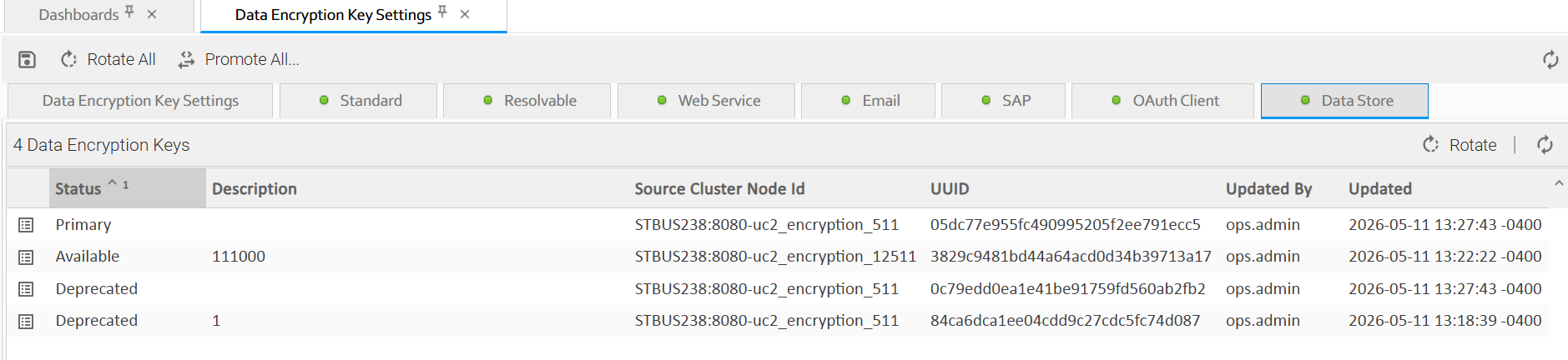
Once Data Encryption Keys are enabled, each type has its own tab. Each tab displays the list of Data Encryption Keys of that type. By default, the list is sorted by Status, then by Updated Time. Selecting a key from a tab opens its Data Encryption Key Details form.
Data Encryption Key Details
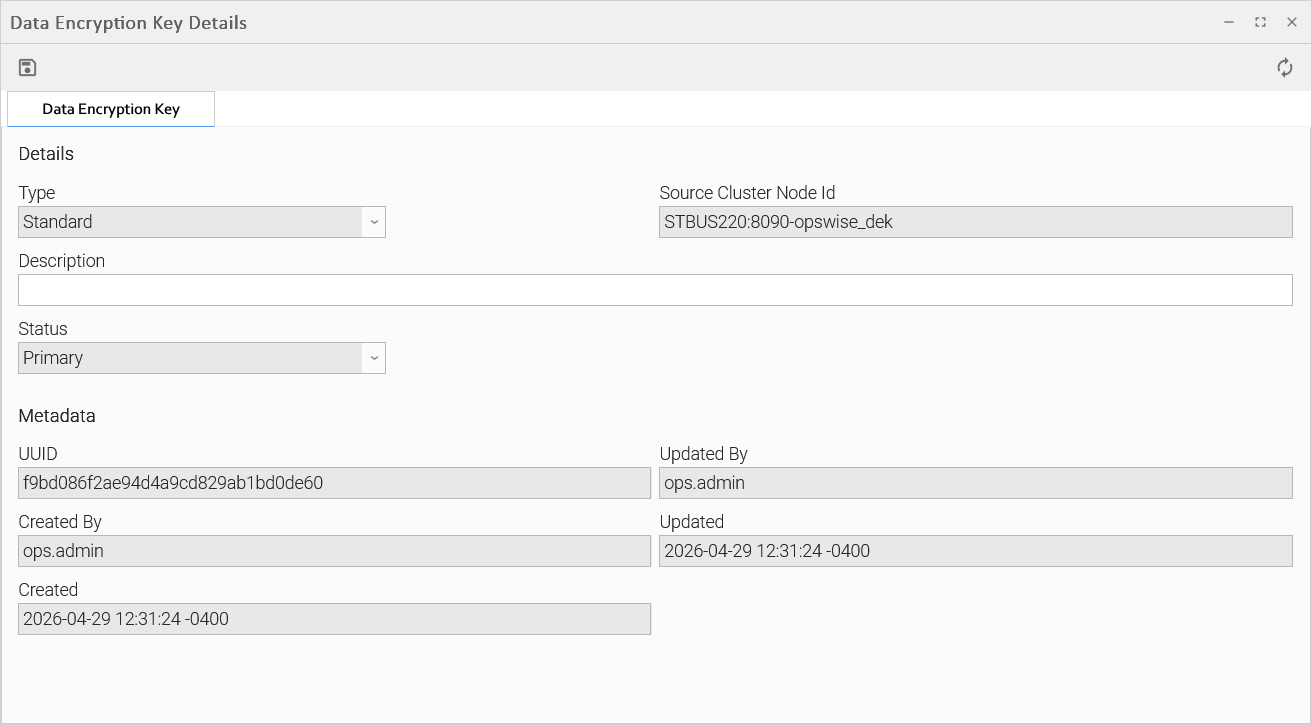
The following tables describe the fields that display in the Data Encryption Key Details form for an individual key.
Details
This section contains details about the Data Encryption Key.
Field Name | Description |
|---|---|
Type | System-supplied; the Data Encryption Key type this key protects. |
Source Cluster Node Id | System-supplied; Cluster Node Id where the Data Encryption Key was created. |
Description | Description of this record. Maximum length is 255 characters. |
Status | System-supplied; the key's current status:
See Key Statuses. |
Deprecated | If Status is Deprecated; the date and time the key was deprecated. |
Deprecated By | If Status is Deprecated; the user who deprecated the key. |
Metadata
This section contains Metadata information about this record.
Field Name | Description |
|---|---|
UUID | Universally Unique Identifier of this record. |
Updated By | Name of the user that last updated this record. |
Created By | Name of the user that created this record. |
Updated | Date and time that this record was last updated. |
Created | Date and time that this record was created. |
Commands
You manage keys using commands available from the Data Encryption Key Settings page, the Encryption Keys tabs, and the action menu of a Data Encryption Key record:
- Rotate (per tab) and Rotate All (on Data Encryption Key Settings)
- Deprecate (per key)
- Promote (per key) and Promote All (on Data Encryption Key Settings)
For full details on each command, the roles required, and what they do to your keys and data, see Managing Keys.