Editing and Testing Debugging Configuration
On this page, we will cover the following:
- Editing and testing
exclude_file_extdynamic choice command - Editing and testing changes to
configurations.yml
Step 1 - Editing and testing exclude_file_ext dynamic choice command
In the previous page, we debugged the exclude_file_ext dynamic choice command. You may have noticed the output in the UIP (EXTENSION) (can be opened with Shift+Alt+3) output channel contains py twice:

This is because the code does not take into account duplicate entries. Make the following set of changes to extension.py shown in the highlighted box below:
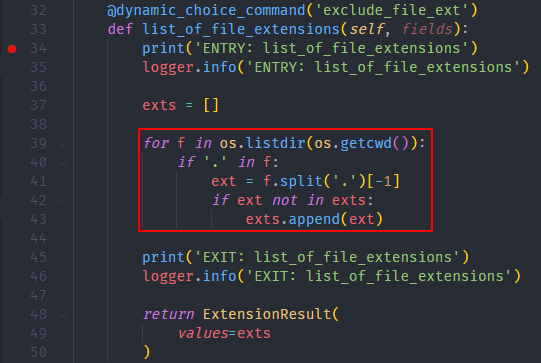
extension.py::list_of_file_extensions
@dynamic_choice_command('exclude_file_ext')
def list_of_file_extensions(self, fields):
    print('ENTRY: list_of_file_extensions')
    logger.info('ENTRY: list_of_file_extensions')

    exts = []

    for f in os.listdir(os.getcwd()):
        if '.' in f:
			ext = f.split('.')[-1]
			if ext not in exts:
	            exts.append(ext)

    print('EXIT: list_of_file_extensions')
    logger.info('EXIT: list_of_file_extensions')

    return ExtensionResult(
        values=exts
    )
To test this change, simply press F5 and the debugger should stop at the breakpoint once again. No need to build anything! Let the execution finish by pressing the “Continue” button, and the output should now look as follows:

Notice the second py is no longer printed
Step 2 - Editing and testing changes to configurations.yml
As mentioned in the previous page, we can have multiple cases/configurations for each target. Add another entry to the exclude_file_ext array with the log_level set to Trace:
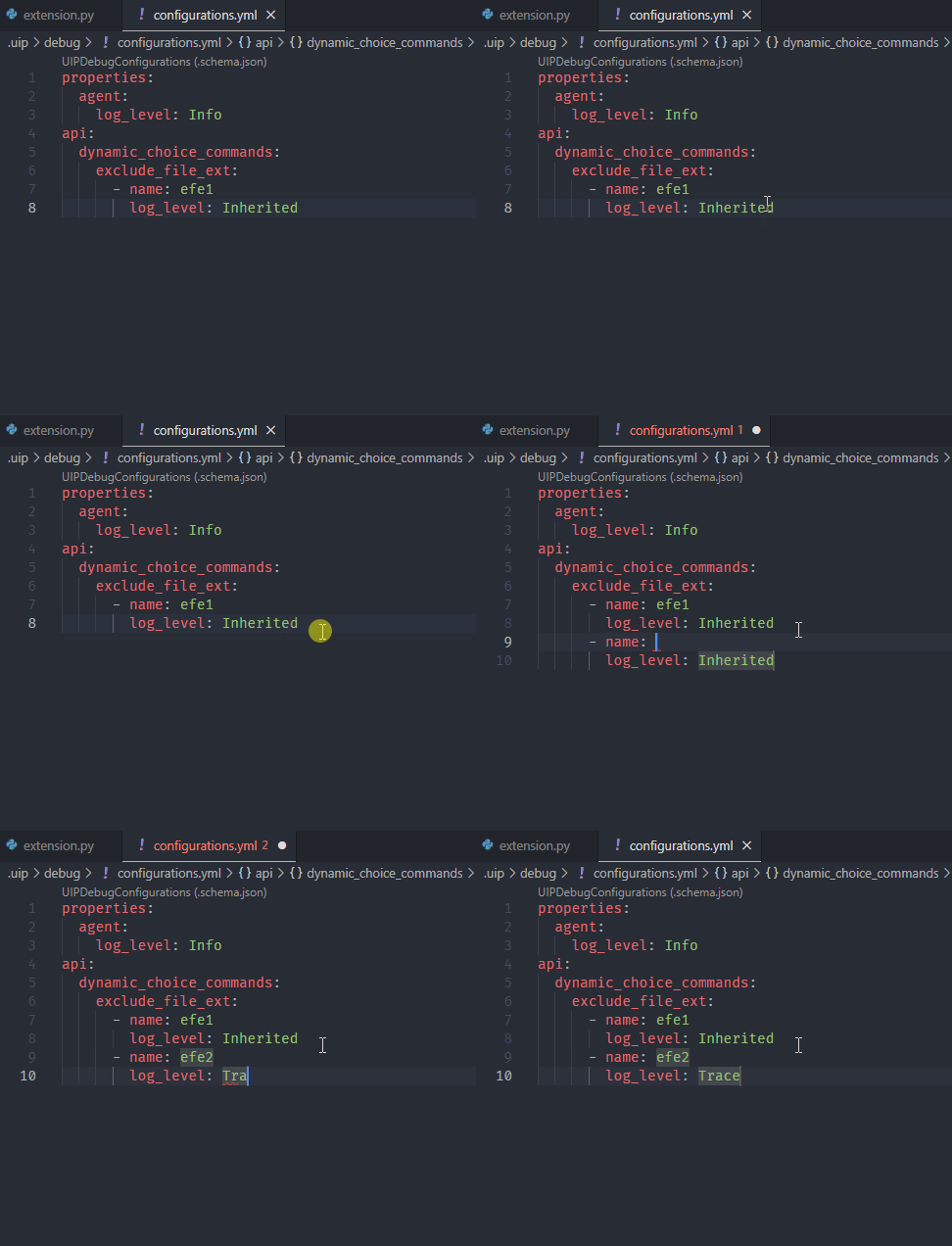
configurations.yml
properties:
  agent:
    log_level: Info
api:
  dynamic_choice_commands:
    exclude_file_ext:
      - name: efe1
        log_level: Inherited
      - name: efe2
        log_level: Trace
Both efe1 and efe2 are identical in functionality except efe1 inherits its log level from the agent’s log level whereas efe2's log level is explicitly set to Trace. In the “UIP DEBUG CONFIGURATIONS” view, you should now see:

Notice that efe1 is still selected as the default, and we will keep it that way. To launch/debug efe2 without setting it as default, hover over it and press the “Debug” icon:
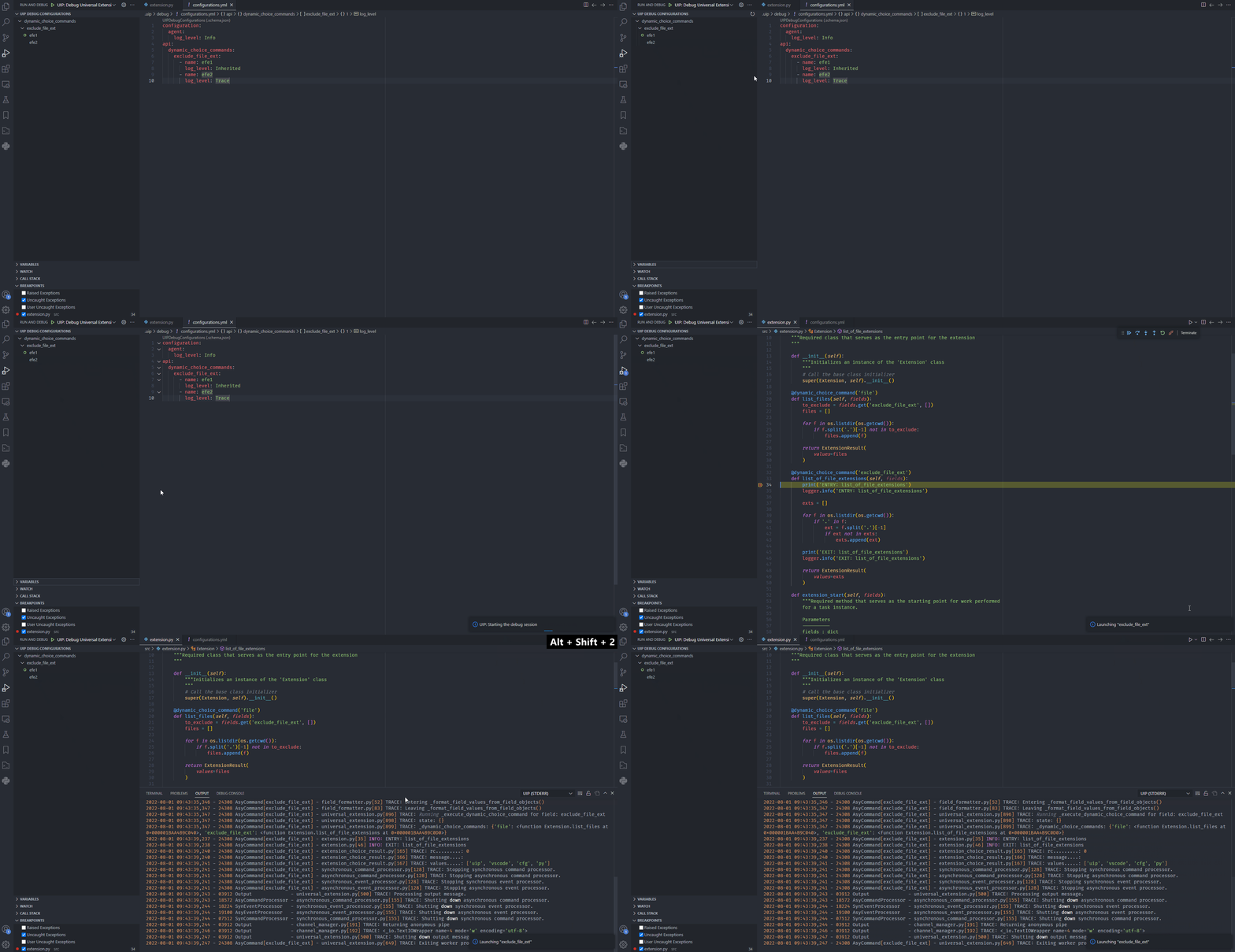
This demonstrates alternate means of launching/debugging a configuration besides setting as default. It also shows the effect of changing the log level.