Create Keycloak Client for Universal Portal
Next, we will make a Keycloak client for Universal Portal. This is very similar to what we did for Universal Controller.
Step 1 | Login to Keycloak using your admin credentials. |
|---|---|
Step 2 | Go to Clients. Click Create client. 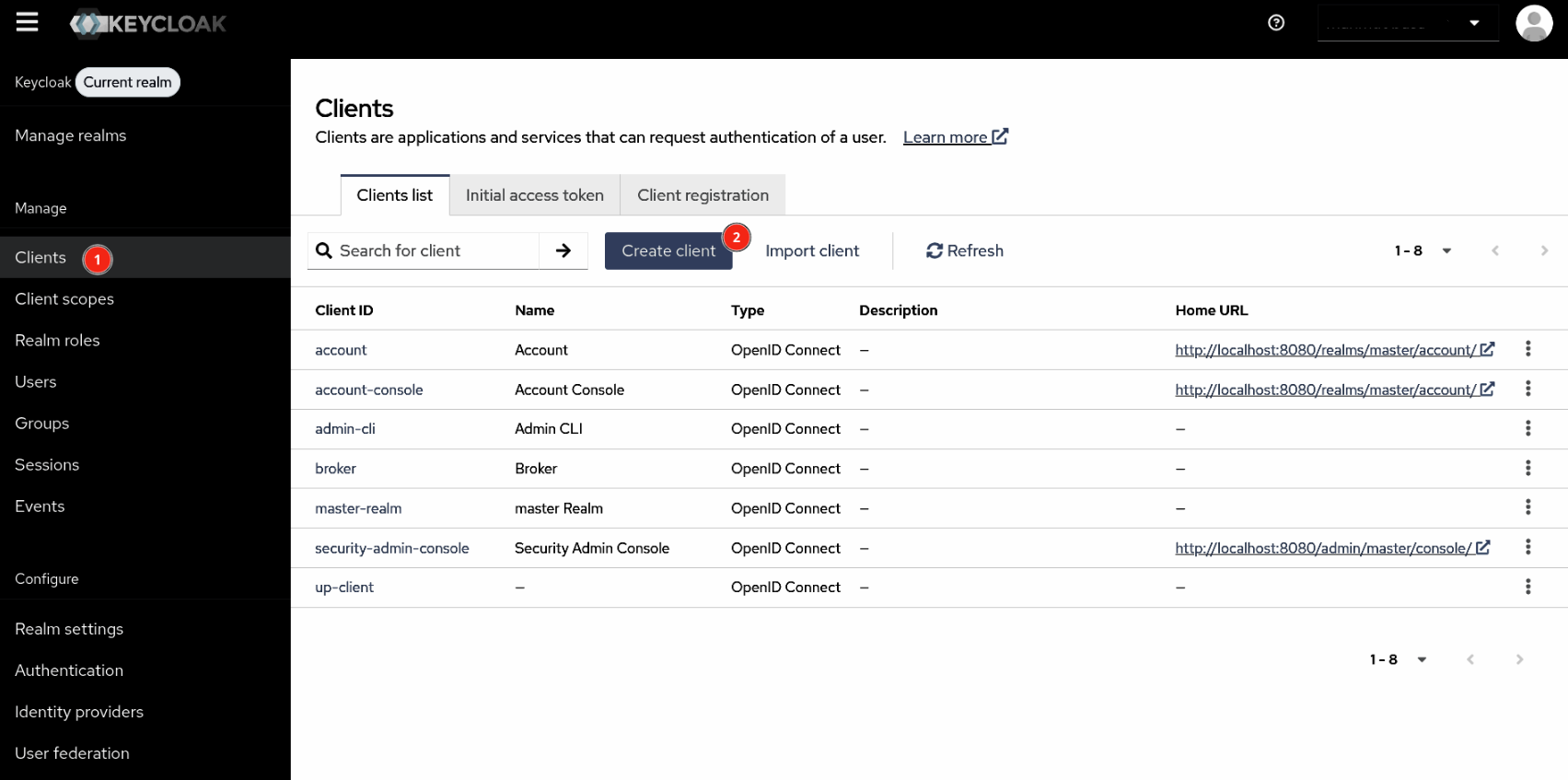 |
Step 3 | In General Settings, set the following fields:
Click Next. 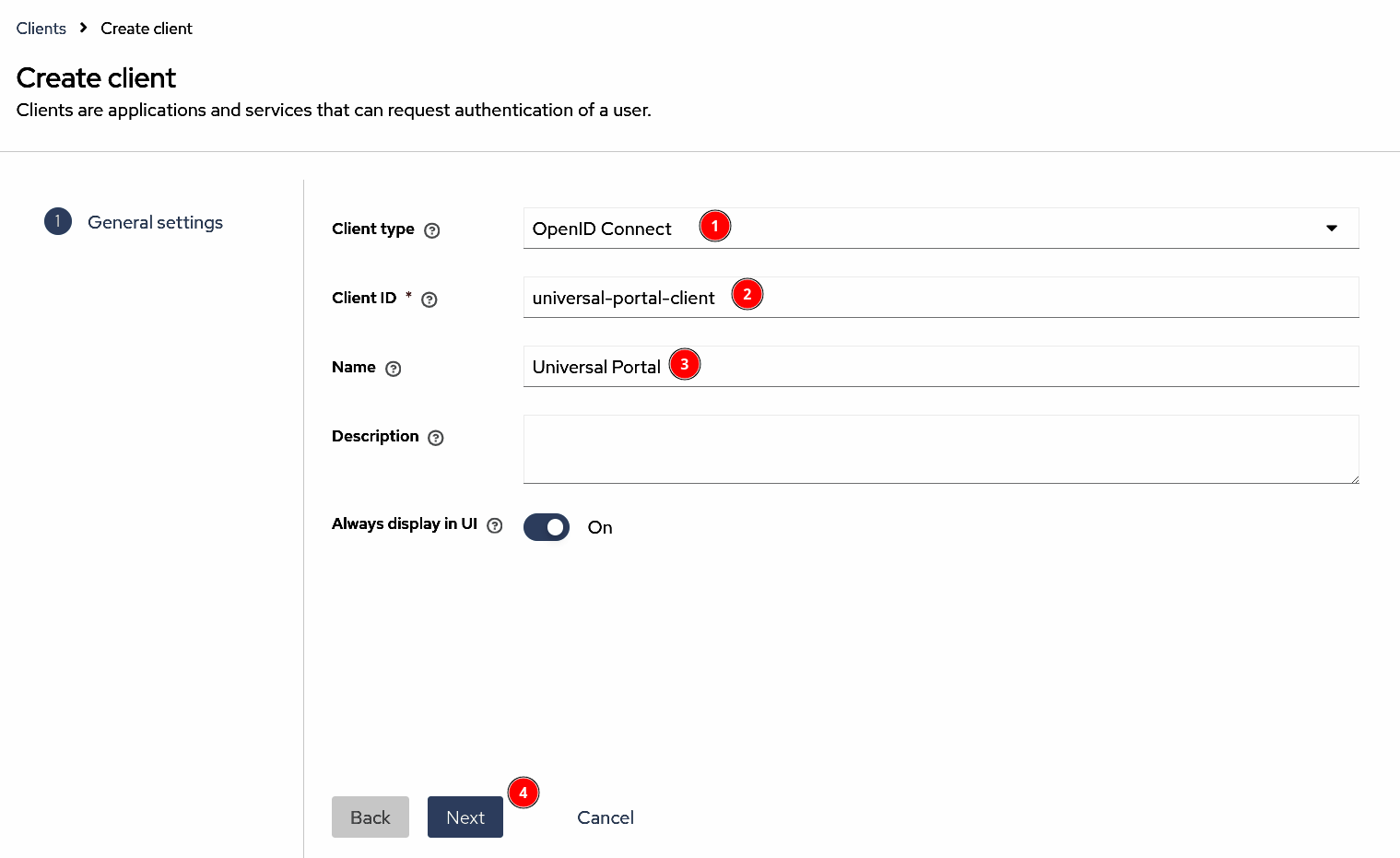 |
Step 4 | In Capability config, set the PKCE Method to "S256". Use the default values for the rest of the fields. Click Next. 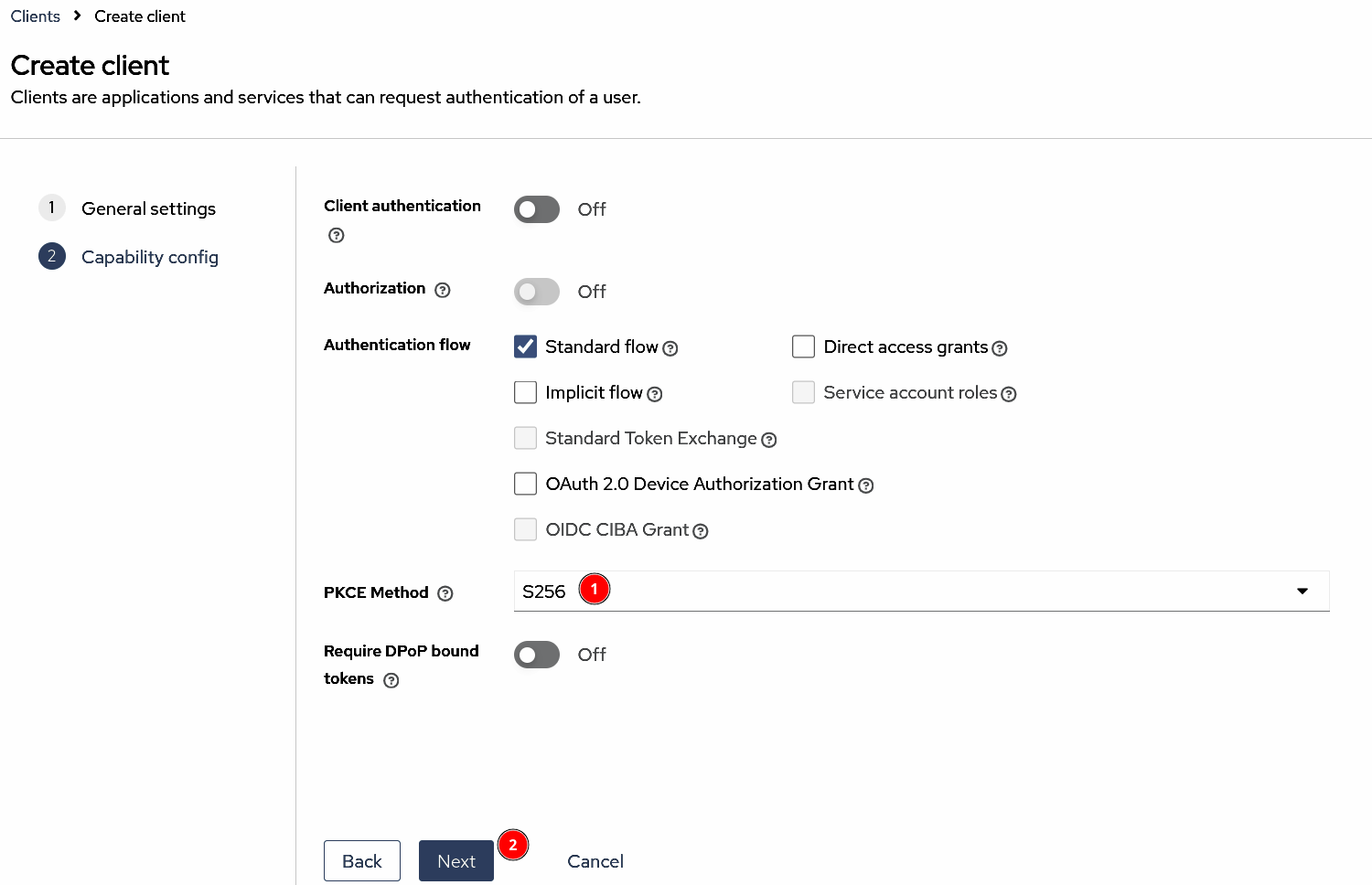 |
Step 5 | In Login settings, set the following fields:
info For testing, you may assign Click Save. 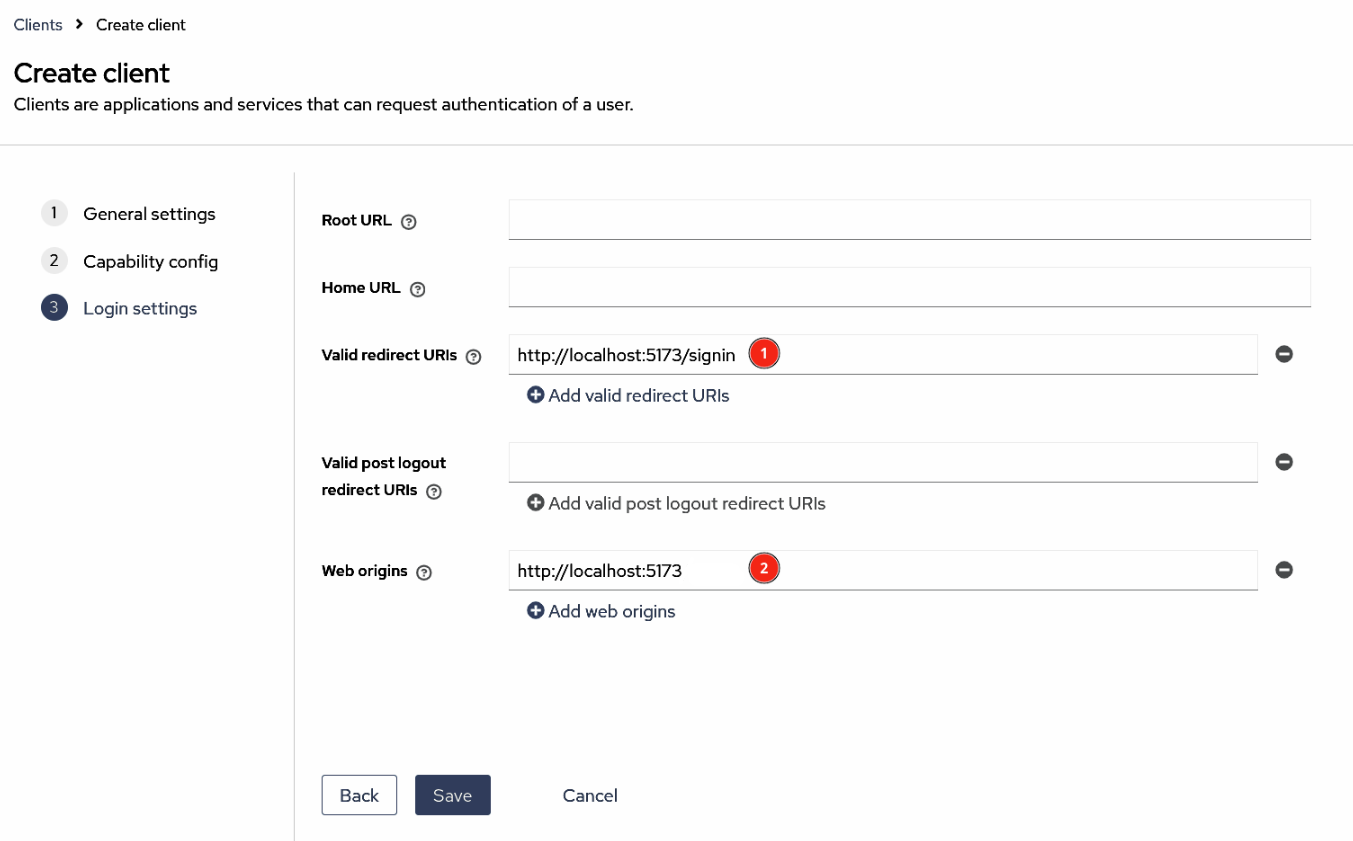 |