Note the Keycloak Issuer URL
Next, we will note the Issuer URL for the master realm, which we will need when configuring OAuth settings in the next step.
Step 1 | Go to Realm settings. Scroll down to the Endpoints section and click OpenID Endpoint Configuration. 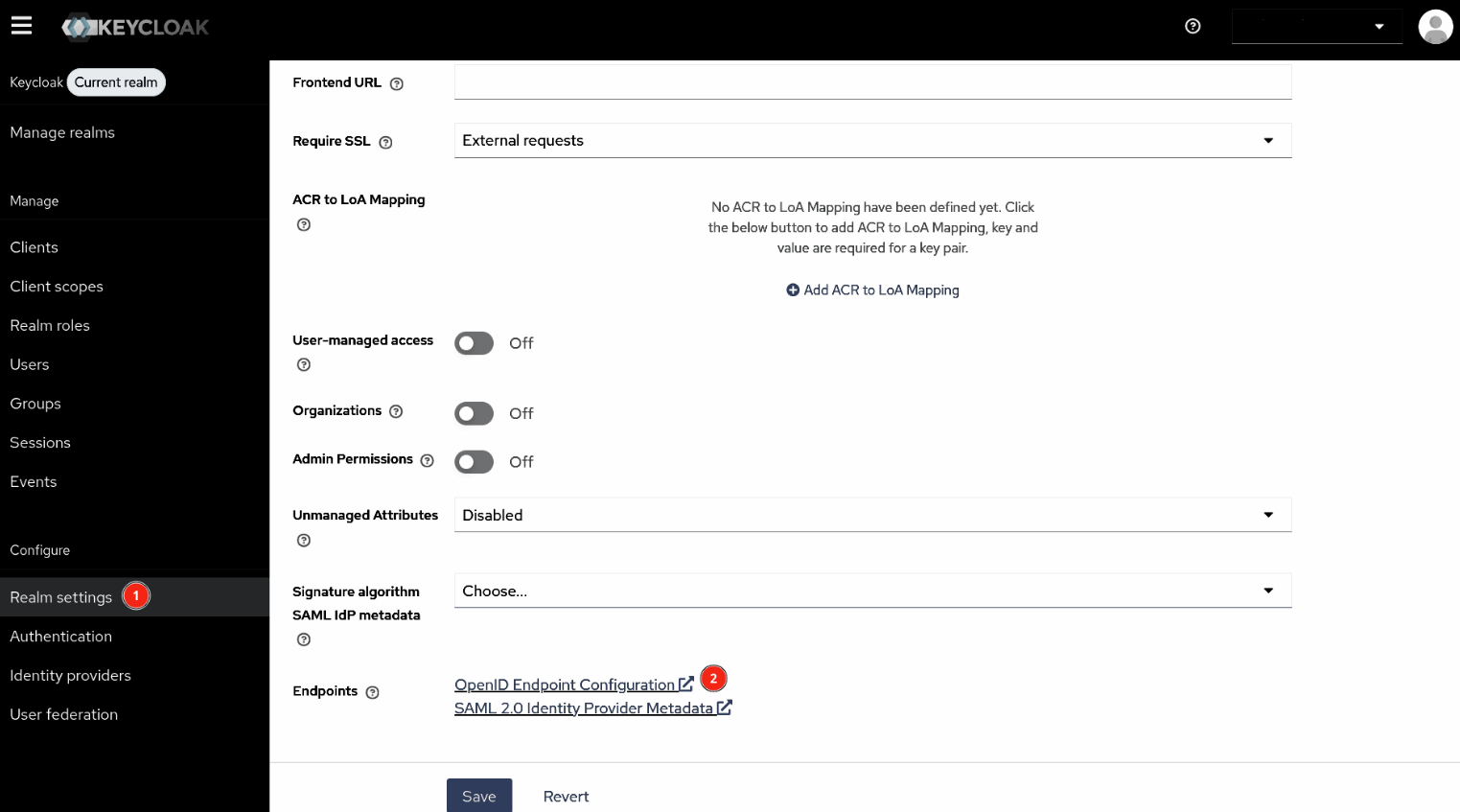 |
|---|---|
Step 2 | In the new tab that opens, note the 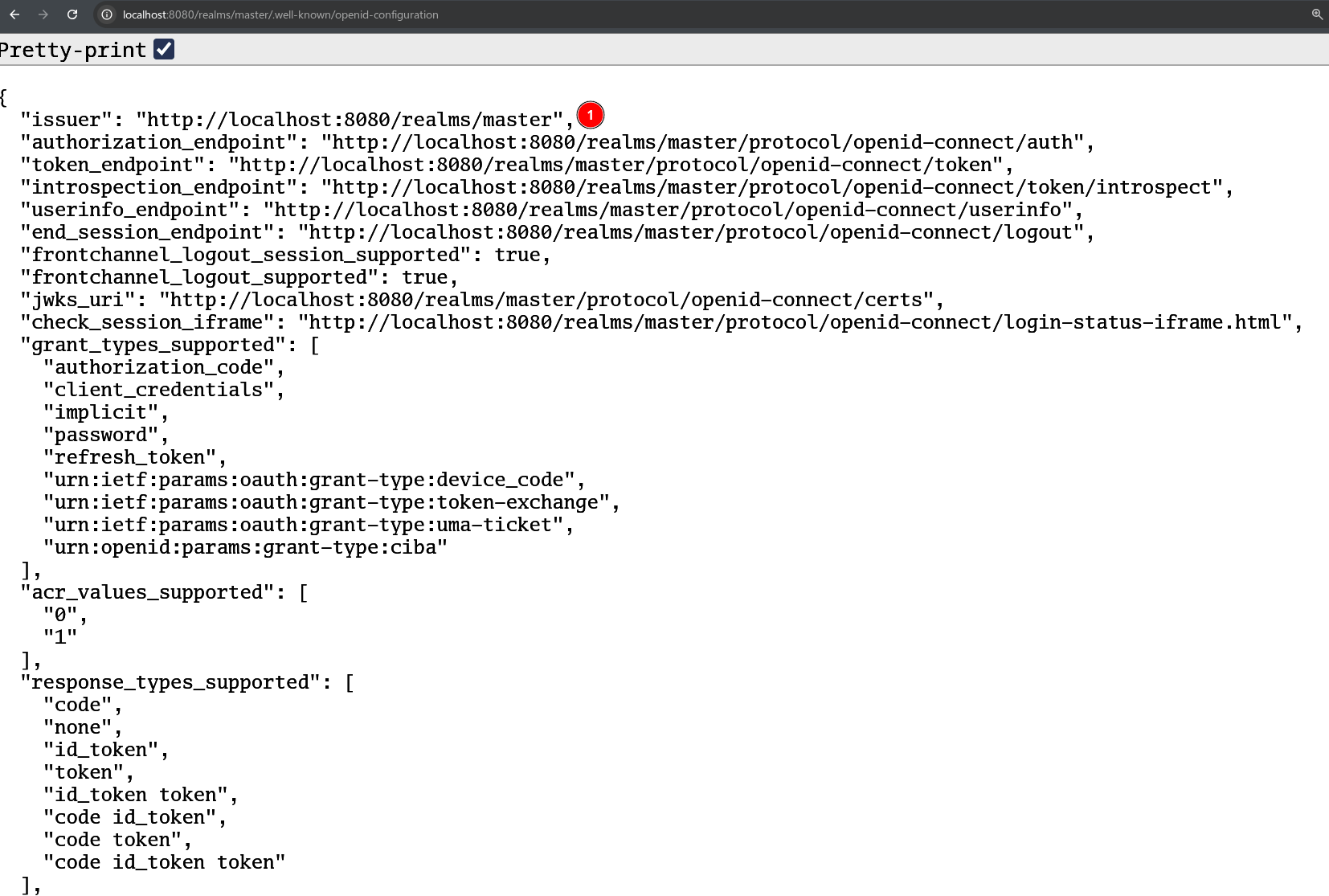 |